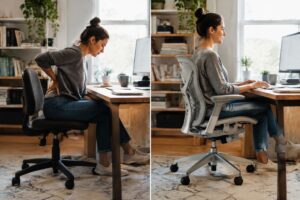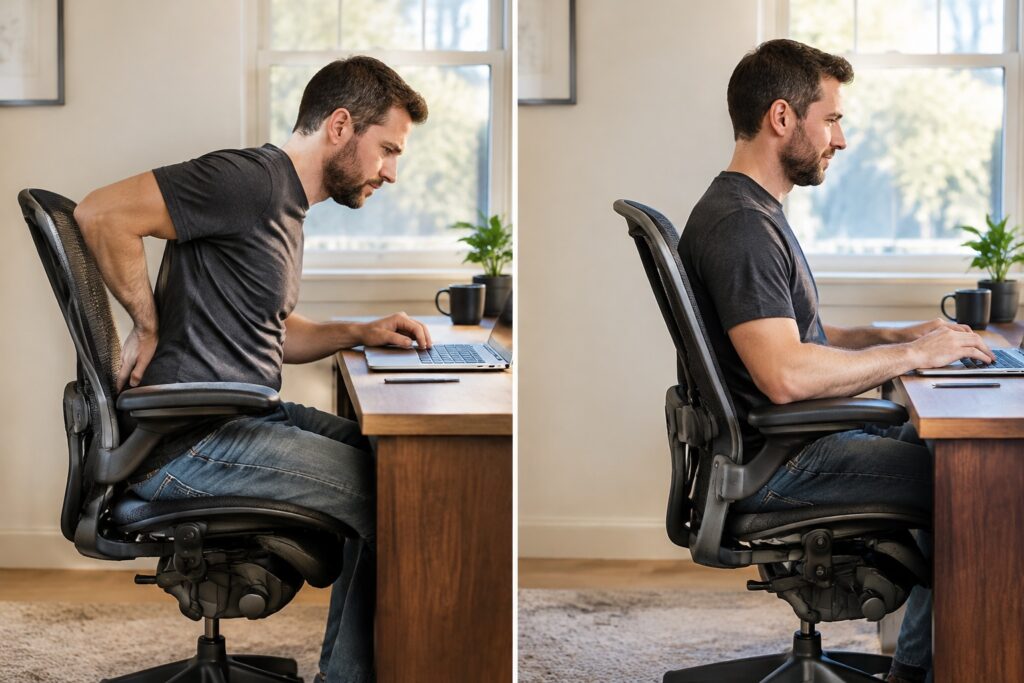
Quick Answer
A Herman Miller Aeron lumbar chair pushes too hard when the PostureFit SL pads or the lumbar pad sit too high or are set too firm for your lower back. Lower the pad to the natural curve above your belt line, turn the firmness down, then sit for a few days before changing anything else.
A Herman Miller Aeron lumbar chair should ease lower back pain, but for plenty of remote and hybrid workers it does the opposite in the first week. The back pad presses hard into the spine, and the chair gets blamed when the real culprit is usually a setting. Fixing it is rarely complicated.
The Aeron is an ergonomic mesh task chair designed by Bill Stumpf and Don Chadwick. It comes with one of two lumbar systems: PostureFit SL, a dual-pad design that supports the sacrum and lower spine, or an adjustable lumbar pad that slides up and down the backrest. Each one acts on the spine differently, and each one can feel aggressive when it’s set wrong.
People upgrading from a dining chair or a couch-and-laptop setup feel this most. Their bodies have spent months slumping, so proper support feels like a shove. In practice, a few small changes to the pad, seat depth, and tilt tension settle most cases within days, and that’s worth knowing before you write the chair off or send it back.
Why does the Aeron lumbar support push too hard into my lower back?
A Herman Miller Aeron lumbar chair pushes too hard when the lumbar pad sits too high, is dialed too firm, or the seat depth — height leaves the pelvis tilted the wrong way. Most of the time, the fix is an adjustment, not a new chair.
What PostureFit SL does and why it can feel aggressive
PostureFit SL is the Aeron’s two-pad back support that presses on the sacrum and the lower spine at once. The knob sets how firmly the pads push forward, and a firm setting can feel like a fist in the back for anyone used to a flat, soft backrest.
A well-built Herman Miller ergonomic chair expects a short break-in. In practice, the pads should fill the hollow of the lower back, not shove the hips forward. Back off the knob a few clicks, then raise or lower the back height until the pressure lands just above the belt line.
Why a makeshift home office setup makes the push worse
A makeshift home office makes lumbar pressure worse because a desk that’s too high or a seat that’s too deep forces the body to perch forward, which jams the pads into the wrong spot. Kitchen tables and fixed-height desks are the usual culprits.
- Desk too high: shoulders rise, and the torso leans away from the backrest.
- Seat too deep: the knees get crowded, so the sitter slides forward and the pad hits the mid-back.
- Wrong size: a Size B on a very tall frame leaves the pad too low. A taller person may need Size C, or an office chair for tall users built for extra height.
- No footrest or flat floor contact: dangling feet tilt the pelvis backward.
What is the difference between PostureFit SL and adjustable lumbar support on an Aeron?
PostureFit SL is a dual-pad system that supports the sacrum — the lower back separately. Adjustable lumbar support is a single pad that slides up and down to meet the curve of the lower spine. Both versions of the Herman Miller Aeron lumbar chair use the same 8Z Pellicle mesh, so the real difference is how each one pushes against your back.
How the dual-pad sacrum and lumbar design works
PostureFit SL uses two pads that tilt the pelvis slightly forward and keep the spine in its natural S-curve. A knob adjusts how firmly the pads press. Sitters who slump, or whose pain starts near the tailbone, usually respond well to it. Anyone shopping for an office chair for posture correction will find this the more active of the two designs.
How the height-adjustable lumbar pad works
The adjustable lumbar pad is a single cushion that moves vertically to sit at the inward curve of the lower back. It’s simpler, and it suits people who want gentle, targeted pressure instead of pelvic positioning. The pad’s depth is also easy to tune, which helps if firm support feels too pushy. Buyers who prefer a lighter, less structured feel sometimes compare it with the Herman Miller Mirra chair.
Which lumbar option suits which type of lower back pain?
PostureFit SL generally fits pain linked to slouching, while the adjustable pad fits pain at one specific spot. The table gives a quick match.
| Pain pattern | Better fit | Why |
|---|---|---|
| Tailbone or sacrum ache | PostureFit SL | Pelvis is supported |
| Mid-lumbar tightness | Adjustable lumbar | Pad targets one height |
| Pain from slumping | PostureFit SL | Keeps the S-curve |
| Sensitivity to pressure | Adjustable lumbar | Softer, easier to back off |
How do I adjust Aeron lumbar support so it stops pushing?
An Aeron’s lumbar support stops pushing when the pad is lowered to the beltline, backed off a notch, and paired with correct seat height and depth. The pressure usually comes from the pad sitting too high or too firm, not from a defective Herman Miller Aeron lumbar chair.
Step-by-step lumbar and seat adjustment sequence
- Set seat height first. Feet go flat on the floor, thighs roughly parallel to it.
- Sit all the way back. Your hips should touch the backrest, with two to three fingers of space behind the knees.
- Release the lumbar. On PostureFit SL, turn the knob to its softest setting. On the adjustable pad version, loosen it fully.
- Drop the pad low. Aim support at the sacrum and the small of the back, not the ribs.
- Add firmness in small steps. Tighten one notch at a time until the curve feels held, not shoved.
- Match the tilt. Adjust tension so the back follows you when you lean, then set the tilt limiter. Herman Miller’s Adjusting Aeron video shows each control.
Anyone with ongoing pain who also has neck strain should check arm and screen height too, since the best office chair for neck pain still fails when the monitor sits too low. A Herman Miller task chair only helps when every setting works together.
How long should you give your back to adapt before changing settings?
Most people need about one to two weeks of full workdays before judging a new lumbar setting. Muscles used to slumping need time to adjust, so mild soreness early on is normal. Sharp or worsening pain is different: change the setting right away.
Does chair size, tilt or seat depth cause the lumbar pressure?
Yes, all three can. A wrong Aeron size puts the back pad at the wrong spot on the spine, and tilt tension plus armrest height decide how hard the pad pushes back during a long day.
How Aeron Size A, B and C affect where the back pad lands
Aeron size sets the height of the lumbar pad against the lower spine, so a mismatched size is the most common cause of a pad that jabs the ribs or the tailbone. Size B fits roughly 5’3″ to 6’2″ and suits most people. Size A is for users under about 5’7″, and Size C is for users over 5’9″ or 200+ lbs. A tall user in a Size B often feels the pad sitting too low, while a petite user in a Size C feels it pressing mid-back.
Seat depth matters too. If the seat pan is too long, the user slides forward, loses contact with the backrest, and then leans hard into the pad. A fingers-width gap behind the knees is the target. Compare the Herman Miller Mirra 2 chair, which lets the user change seat depth directly, if the Aeron’s fixed pan never fits.
How tilt tension, tilt limiter, and armrest position change lumbar load
Tilt tension, the tilt limiter, and armrest height change lumbar load by deciding how much weight the backrest carries. Too much tension forces the user to push against the pad. Too little lets the torso drop back into it.
- Tension: turn it until the chair reclines with light effort and holds the user upright without a fight.
- Tilt limiter: use the upright or middle setting for typing, so the back isn’t constantly loaded.
- Armrests: set them so the elbows rest at desk height and the shoulders stay relaxed.
Users who still want a softer, more forgiving back can look at the Herman Miller Celle chair as an alternative to a firm Herman Miller Aeron lumbar chair.
Is a pre-owned or refurbished Aeron with PostureFit SL worth it for lower back pain?
A certified pre-owned Aeron with PostureFit SL is worth it for most people with lower back pain, because the mesh, the sacral pad, and the lumbar pad are built to last well beyond a first owner’s use. The key is buying from a seller that inspects and backs the chair. A Herman Miller Aeron lumbar chair that’s been properly restored supports the spine the same way a new one does.
What a certified pre-owned Aeron should include: inspection, authentic parts, and warranty
A certified pre-owned Aeron should come with a documented inspection, authentic Herman Miller or equivalent parts, and a written warranty. Madison Seating, for example, runs a 127-point inspection and backs its refurbished Aerons with a 10-year warranty. Check these before buying:
- PostureFit SL pads: both the sacral and lumbar pads should move smoothly and hold their position.
- Mesh: no sagging, tears, or loose edges.
- Tilt and tension: the mechanism should recline evenly without sticking.
- Authentic parts: replaced arms, casters, and cylinders should be OEM or better.
Common mistakes when choosing an Aeron for lower back pain
The most common mistake is picking the wrong size. Size B suits roughly 5’3″ to 6’2″, while Size A and Size C cover smaller and larger frames. Buyers also skip the PostureFit SL adjustment, leaving the pads too aggressive. Others assume every chair needs the same fix, when a taller sitter on long workdays may prefer the best chair for long computer sessions comparison, and some buyers want a simpler setup like the best ergonomic chair for remote workers. Expect two to three weeks of tweaking before judging the chair.
Frequently Asked Questions
Does the Herman Miller Aeron have lumbar support?
Yes, the Herman Miller Aeron has built-in lumbar support in two forms. Most remastered models use PostureFit SL, which supports the sacrum and lower back. Other models use a height-adjustable lumbar pad. Both keep the natural curve of the lower spine.
What is the difference between PostureFit SL and adjustable lumbar support on the Aeron?
PostureFit SL is a dual-pad system that supports the sacrum and lumbar spine separately, while adjustable lumbar is a single pad you move up or down. PostureFit SL suits people whose pain starts at the pelvis. The single pad suits those who want simple height control.
Which Aeron lumbar option is better for lower back pain?
PostureFit SL is usually the better choice for lower back pain because it supports the pelvis and lumbar curve together. Adjustable lumbar support can work well if your pain sits at one spot you can target. Try either one for a few weeks before judging it.
Will an Aeron chair fix my back pain?
No chair cures back pain, but an Aeron can reduce desk-related strain by supporting your spine’s natural S-curve. Many people notice a difference within a few weeks as their muscles adjust. Persistent or severe pain should still be checked by a physical therapist or doctor.
Which Aeron size should I choose for proper lumbar fit?
Size B fits most people, roughly 5’3″ to 6’2″.
Size A suits smaller users under about 5’7″, and Size C suits taller or larger users. A wrong size puts the lumbar support in the wrong spot, so match size to your height and weight first.
Is a pre-owned Aeron as supportive as a new one?
A certified pre-owned Aeron supports your back just like a new one when its mesh, lumbar parts, and mechanisms are inspected and restored. Check that the seller verifies authenticity and offers a solid warranty. Madison Seating, for example, inspects each chair and backs it with a 10-year warranty.
How do I adjust the lumbar support on an Aeron?
On an Aeron with PostureFit SL, you turn the knob on the back to set how firmly the pads press into your lower back and sacrum. On adjustable lumbar models, you slide the pad to sit at your waist curve. Adjust while sitting back fully.
A Herman Miller Aeron lumbar chair that pushes too hard is almost always a setup problem, not a design flaw. Back pressure that feels sharp usually comes from a pad set too high or too firm, a size that doesn’t match the user’s frame, or a desk setup that forces the pelvis out of position. Fix those first, then give the body a couple of weeks to adjust.
Next step: sit down tonight, back the lumbar setting off to its lowest firmness, and work through the adjustment sequence one control at a time. If the chair still fights you after two weeks, check the size and whether the model has PostureFit SL or the adjustable pad. A certified pre-owned Aeron with a written warranty is a sound way to swap models without starting over.