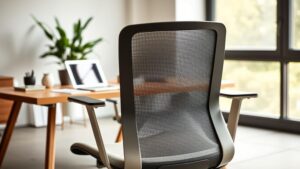
What really makes an office chair worth buying for every desk in a busy workplace? That question drives this roundup.
You came here because you want a durable, everyday product—not just a pretty chair that feels fine for 20 minutes. We focus on real-world needs: fewer complaints, fewer returns, and steady support when many people share the same seat. And honestly, if you’re comparing Steelcase chairs, you’re probably already thinking like a facilities lead: “Will this still feel good in month six?”
Wirecutter’s panel praised several premium models; the Leap earned an “excellent” rating for its adjustments and a comfortable back. Still, many testers found it close to Gesture and Aeron, so we’ll look beyond brand shine to real differences.
This guide previews Gesture, Leap, Think, Amia, Silq, and Series 1. We’ll compare comfort, adjustability, build, and price in the US market. Expect a buyer-first view that covers maintenance, warranty, and how each product holds up over time.
Key Takeaways
- We evaluate durable options fit for full offices, not just home use.
- Trusted means fewer issues and better long-term support.
- Shortlist covers a range of adjustability and price points.
- Focus on maintenance, warranty, and total cost of ownership.
- By the end, you’ll know which product suits your team’s desks and budget.
Why offices keep choosing Steelcase for ergonomic seating at scale
When procurement buys seating by the dozen, priorities shift to repeatable fit, durability, and simple adjustments. You need fewer “this chair doesn’t work for me” complaints and predictable outcomes across teams.
Seating starts ergonomic planning. Chair fit shapes posture, energy, and how long people can stay focused at a desk. An ergonomic office often begins with the right office chair because small fit gains add up over a full workday.
Facilities teams care about logistics. Consistent parts availability, steady lead times, and products that are easy to standardize save time and headaches. Those factors cut repair cycles and reduce replacements.
- Repeatable adjustments mean less training for users.
- Standard parts help keep downtime low.
- A higher upfront price can lower total cost by cutting repairs and lost productivity.
That mix of performance, adjustability, and a broad product line is why many shortlist this brand for corporate and home setups. We’ll also flag weaknesses so you know what to watch for before you buy.
What “trusted” really means in an ergonomic office chair
Trust in workplace furniture comes down to consistent comfort and reliable support over time. You want a product that still feels good after long days at a desk—not just on day one.
All-day comfort for long hours at a desk
Soft doesn’t always equal supportive. A plush cushion may feel great at first, but lose lumbar support by the third hour. A comfortable office chair balances pressure relief with firmness that preserves spine alignment all shift long.
Adjustability that fits more body sizes and work styles
Non-negotiables for shared seating: adjustable seat height, seat depth, tilt tension, and arm positions that line up with your keyboard and desk. These controls let one chair adapt to many body types—reducing the need for specialty models.
Support that holds up over time in busy offices
Busy-office wear means constant rolling, repeated reclining, and frequent arm contact. Frames and mechanisms must resist sag, keep tension, and protect the back support for years.
| Standard | What to Look For | Why It Matters |
| All-day comfort | Balanced cushion and lumbar | Protects the back during long hours |
| Adjustability | Seat depth, height, tilt, arms | Fits more body sizes and tasks |
| Durability | Sturdy frame, tested mechanisms | Survives heavy office rotation |
Next: We’ll apply these standards to explain why some products rise to the top while others feel like compromises.
Steelcase Chairs: the quick shortlist for modern workplaces
Start here for a quick, no-nonsense shortlist that matches seats to real office needs. If what you really want is “a dependable chair people won’t complain about,” you know, the kind of Steelcase task chair that keeps showing up on spec sheets, this section will feel refreshingly practical.
Best for all-around ergonomic support: Gesture
Gesture is the go-to when workstyles vary, and arms need to follow the task.
It adapts across screens and postures, so shared desks get fewer complaints about fit.
Best for classic comfort: Steelcase Leap
Leap earns praise for a reliably comfortable back and many adjustments. Testing shows it feels familiar and supportive, though it sometimes ties with close rivals rather than standing far ahead.
Best for breathable simplicity: Think
The Think model is a true mesh office chair. It suits warm offices and users who run hot.
It’s often “fine” in side-by-side comparisons with higher-priced products like Gesture.
Best for streamlined value: Amia
Amia hits the basics well. It’s a solid product at a friendlier price.
Teams that need reliable function without a standout flair will like it.
Best for design-forward spaces: Silq
Silq brings style, but the trade-off can be long-session comfort—some users feel pushed forward. If look matters more than marathon sit times, it’s worth a close look.
| Model | Best for | Key strength | Consider |
| Gesture | Varied workstyles | Arm adjustability, multi-device support | Higher price for top options |
| steelcase leap | Classic all-day use | Comfortable back, many adjustments | Often matches rivals in tests |
| Think | Warm offices | Breathable mesh office chair | Less loved than Gesture at a similar price |
| Amia / Silq | Value / Design-forward | Reliable product / Clean style | Amia: not distinctive; Silq: may push users forward |
Steelcase Gesture spotlight: the arms-first chair built for today’s devices
The Gesture makes arm movement the design priority—because your workday is a string of typing, mousing, and quick device swaps. This arms-first idea shapes how the seat and controls behave, so transitions at your desk feel natural.
If you want to see the exact product setup Madison Seating is currently listing (including the “black fabric + platinum base” configuration), take a look at their Steelcase Gesture chair page and match it to your office standards before you commit. It’s a small step, but it saves that annoying “wait, what base did we order?” confusion later.
Arm adjustability and why it matters for productivity
Well-placed arms cut fatigue and wasted motion. When your forearms are supported, your shoulders relax, and you spend less time shifting position. That steady support boosts productivity during repetitive tasks like typing and long mouse work.
Seat and seat back feel for focused work sessions
The seat offers stable support without locking you in. The seat back balances give so you can lean in for a task and recline without losing alignment.
Fabric options add practical benefits in busy environments—durable covers and easy-clean textiles matter for shared office use and longevity. (This sounds boring until you’re the one dealing with a “mystery stain” on a chair that rotates through three shifts.)
Who does the Gesture office chair fit best in a shared office
This chair suits mixed-height teams, hybrid setups, and groups that switch tasks often. If you need mesh-only breathability or very simple controls, you might look elsewhere.
Steelcase Leap spotlight: a proven ergonomic office chair with a comfortable back
The Leap keeps showing up in office spec lists because its back support simply works for many body types.
Why it stays on shortlists: the Leap is a proven ergonomic office chair that helps a wide range of people say, “I can work in this.” Its back design and cushion balance pressure and firmness so users feel steady for longer stretches.
Madison Seating’s current listing for the V2 (including options like lumbar selection and floor-appropriate casters) is worth bookmarking if you’re trying to standardize ordering: Steelcase Leap ergonomic chair.
Back support in real-world testing
Wirecutter called the Leap excellent for its adjustments and comfortable back, but testers often saw only small differences versus Gesture or Aeron. That means fit and work style matter more than brand halo when you pick one model.
Adjustments to prioritize
Start with seat depth—getting thigh support right makes everything else work. Next tune tilt and recline so you can move without losing alignment. Finally, set tension so the seat responds to your weight, not fights it.
Practical bulk tip: when you buy by the dozen, standardize a short adjustment demo. Teach staff to use adjustable lumbar support and seat depth—those small moves create big gains in comfort and reduce return cycles.
Steelcase Think and Amia: solid office chairs that play it safe
Some teams want no drama—just a seat that works for most people day after day. Think and Amia are the steady options when predictability matters more than flash.
Think’s mesh back breathability for warm offices
Think uses a mesh back to keep air moving. That matters in warm offices or dense floor plans where people heat up in foam-backed models.
The mesh back helps the back stay cooler and reduces sweat during long shifts. It’s an especially good pick if you want a breathable office chair that stays neutral for many users.
Amia’s comfort strengths—and why it can feel less distinctive
Amia lands as approachable and supportive. Its seat and cushion feel familiar to a wide range of people, so it wins on first-day comfort and quick setup.
But Amia lacks standout features. Fewer signature controls mean it can be hard to justify a higher price versus more adjustable models.
- Good use: Fleets that need reliable, low-drama products.
- Think: Choose for breathability and predictability.
- Amia: Choose plain comfort and easy acceptance.
If your team wants “good and simple,” these two products will serve you well. If device posture or arm range is a common complaint, consider a more adjustable office chair instead.
Steelcase Silq and Series 1: when style or size can be the deciding factor
Design choices sometimes win the day—especially where looks shape client impressions or tight rooms demand compact gear.
Silq’s flexible design idea—and short-burst strengths
Silq is built to “move with you.” The shell and linkages flex so the chair follows small shifts without constant fiddling.
That approach reads well in design-forward spaces. In short sessions, the seat and back feel slick and modern. Style often wins in client-facing areas and studios.
Series 1: size and time trade-offs
Series 1 aims for a smaller footprint. That can suit compact home offices or users who prefer a neat profile.
But Wirecutter testing flagged real limits: the seat felt short, arms sat too high, and comfort dropped after a couple of hours.
Right use: Silq for lighter rotation and style-led rooms.
Right use: Series 1 for short sit times, not as your primary workhorse.
Home note: If you work from home full-time, put support and comfort first—then choose style.
Steelcase vs. Herman Miller in the US: Aeron, Cosm, and where Steelcase wins
These two brands often top spec lists in the United States. Your best pick depends on fit and work style more than brand buzz.
Herman Miller Aeron vs Gesture for adjustability and work styles
Herman Miller Aeron has a storied reputation for breathable mesh and stable recline.
Aeron handles pressure points well, but the Gesture focuses on arm range and quick device switches.
Cosm vs Silq for “moves-with-you” comfort
Cosm is built to shift with you and scored well in Wirecutter tests for comfort and recline ease. Silq follows the same idea but can be less comfortable on long sits—good for short sessions or style-forward rooms.
Embody vs Gesture: Why arm design and fabric options can matter
Embody is highly adjustable and tech-forward, but it lacks the Gesture’s arm layout and fabric choices.
That matters because arms and fabric are what you touch every minute at your desk—small differences shape daily comfort and support.
| Compare | Strength | Consider |
| Herman Miller Aeron | Mesh cooling, reputation | Less arm range than Gesture |
| Cosm / Silq | Moves-with-you comfort | Cosm > Silq for long comfort |
| Embody / Gesture | Adjustability vs arms | Choose a fabric and arm needs |
Ergonomic checklist offices use when buying office chairs in bulk
A reliable procurement process begins with clear ergonomic standards, not slogans. Use this short checklist when you test models so you buy on fit and function—not marketing copy.
Adjustable lumbar support and back comfort
Adjustable lumbar support should cradle the lower back without pushing you forward or creating a hard pressure spot. Good support stays put through recline and movement.
Seat height and seat-pan depth for different body types
Seat depth adjustability matters. Shorter staff need full back contact, while taller users need enough thigh support. Wirecutter flagged the lack of depth adjustment as a deal breaker for many budget products.
Armrests, recline, and tilt controls that employees actually use
Pick controls that are intuitive. The best mechanisms are the ones people leave set and use daily. Test whether arms move to desk height and whether recline feels natural.
Minimum warranty expectations and what to look for
Warranty is risk control: a longer term signals confidence and shields your price over time. For bulk buys, pilot a small batch, gather feedback, then scale to avoid widespread comfort issues.
How to match the right chair to the right body size and desk setup
A chair only works when the seat and desk align with a user’s body. Start with fit, not features. Measure a person and the workspace, then tune the chair so the body gets steady support over a full day.
Petite to tall users: seat depth and seat back height considerations
Seat depth changes how the back meets the seat back. For petite users, a deep seat leaves a gap and loses lumbar support. For taller users, too-short seats press the back and lift the knees.
Fit tip: When you sit all the way back, your lumbar should touch the lower back pad, and there should be a small gap behind the knees.
Desk height, monitor position, and arm support alignment
Set the desk and monitor so your eyes hit the top third of the screen. Your forearms should rest lightly on the desk or armrests—no floating or raised shoulders.
- Feet flat, knees at about 90 degrees.
- Adjust seat height before tuning seat depth.
- Match arm height to the keyboard to avoid shoulder strain.
Home office realities: fixed tables or dining surfaces often force compromises. If your desk is too high, choose a chair with more height and arms that adjust wide and tall.
If this is you: shorter users pick models with shallow seat pans; taller users need deeper seats and higher seat-back clearance; mixed teams benefit from wide adjustment ranges in an office chair or ergonomic office chair.
Materials and build quality that influence comfort and longevity
Build quality decides whether a seat still feels supportive after months of daily use. We look past model names to the parts that matter: the frame, the cushion, and the cover. These elements shape how a chair performs in a busy office.
Frame, foam, and cushion feel over long hours
The frame sets stability. Steel or reinforced alloys resist sag and keep recline smooth.
Foam density controls pressure relief. Higher-density foam keeps its shape and offers steady support; low-density foam softens fast and can feel flat after months.
The seat cushion construction—layering, contours, and edge support—affects long-hours comfort and circulation. For fleets, choose frames and cushions rated for heavy use.
Upholstery options: fabric vs leather vs mesh
Fabric feels warm and hides wear. It is breathable, but it can stain more easily.
Leather looks premium and wipes clean, yet it traps heat and shows scuffs over time.
A mesh office chair offers the best airflow. Mesh is low-maintenance, but comfort depends on weave tension and backing support.
Casters and flooring: carpet vs hard floors
Match casters to your floor. Soft casters roll well on hard floors and cut noise.
Hard casters suit carpeted spaces but can damage wood or tile without a mat. Smooth movement reduces strain and limits trips to maintenance.
| Component | What to check | Why it matters |
| Frame | Material & warranty | Prevents sag and preserves support |
| Foam / Cushion | Density & layering | Controls pressure relief and durability |
| Upholstery | Fabric, leather, or mesh | Breathability, cleanability, wear |
| Casters | Type matched to floor | Noise, safety, and smooth rolling |
Quick buying tip: Focus your budget on durable touchpoints. Replacing casters or worn upholstery is cheaper than swapping an entire piece of furniture when support fades.
Price and value in the US market: what you get at different budgets
Price tells part of the story, but value shows what a chair actually saves you over the years of daily use. Look past the sticker and ask what the product will cost in returns, downtime, and lost focus.
Why saving for a better seat can pay off
Cheaper options often cut corners on adjustability, warranty, and durable parts. That leads to more replacements and uncomfortable shifts over time.
Hidden costs include lost productivity, frequent fixes, and time spent teaching staff how to cope with a poor fit. For a home office, prioritize comfort; for a corporate office, prioritize standardization and support.
Also: “budget” doesn’t have to mean sketchy. If you’re shopping for cheap Steelcase chairs, get picky about what you’re actually buying—condition, included parts, and return terms—because that’s where the savings either become real… or become a headache.
What changes when you go above the midrange
Moving into premium products buys stronger mechanisms, refined recline, and materials that last in busy use. Better seat-depth options and longer warranties usually track with real-world durability and support.
| Budget tier | Typical price | What you get | Best use |
| Entry | $100–$300 | Basic recline, fixed arms, short warranty | Occasional home use |
| Midrange | $300–$800 | More adjustments, firmer warranty, better cushioning | Daily home office or small teams |
| Premium | $800+ | Advanced mechanisms, refined support, long warranty | High-rotation office users |
Simple heuristic: buy the best chair you can for the people who spend the most time sitting, then scale thoughtfully for the rest.
Where to buy Steelcase chairs for business or home office setups
Your buying route determines how much you save—and how much protection you need. New, authorized returns, and refurbished options each trade at different prices for different levels of risk and service.
New vs authorized returns vs refurbished: how to think about savings
New products give full specs, factory warranty, and predictable condition—but at the highest price.
Authorized returns are inspected by the maker or a certified partner, often sold like-new with warranty intact and a lower price.
Refurbished/remanufactured items cut cost most, but check grading, parts replaced, and any limited coverage before you buy.
Buying through Madison Seating: what to confirm before checkout
When you buy through Madison Seating or any store, confirm these items in writing so the customer experience stays smooth:
- The exact model and version of the product you will receive.
- Included adjustments and parts (casters, arms, base).
- Clear return window and the store’s repair or replacement policy.
- Warranty coverage and who services it.
- Shipping, assembly expectations, and any restocking fees.
Quick recommendation: buy new or authorized returns for volume purchases and ask vendors for quotes and documentation. For a home office, prioritize a clear return path so you can test day-one comfort.
If you want to browse the full brand collection first (and narrow by style, condition, or category), start with Madison Seating’s Steelcase office chair listings and work backward from the models that match your office’s needs.
And if you’re comparing alternatives on the same site—because, yes, sometimes Steelcase isn’t the only right answer—here’s a quick way to scan allsteel office chairs for sale without hopping around a dozen pages.
Best use cases by workspace type: office, hybrid, and home
Different workdays need different seating—what works for a shared desk won’t always suit a quiet home office. Below, we translate features into clear use cases so you don’t overbuy or under-support your team.
High-rotation corporate seating for shared workstations
Quick adjustability and durable touchpoints matter most here. When many people use the same chair, simple levers and obvious controls cut training time.
Durable arms, casters, and covers reduce repair cycles and keep downtime low. Pick products with easy-to-replace parts and a strong warranty.
Home office comfort for long focus blocks
At home, you sit longer. Prioritize sustained support—seat depth, lumbar range, and arm height that match your desk.
If your desk is fixed, choose a chair with wide arms and a height range so your wrists and shoulders stay relaxed during long work sessions.
| Workspace | Key need | Product direction |
| High-rotation office | Fast adjust, durable touchpoints | Standardized midrange models with replaceable parts |
| Hybrid | Balance comfort and flexibility | Midrange ergonomic office products with easy tuning |
| Home office | All-day support, desk fit | Premium ergonomic office chairs with deep seat and armrest range |
How to set up a Steelcase chair for day-one comfort
A smart first setup turns a good office chair into an all-day work partner. Spend ten minutes tuning the basics, and you’ll save hours of fidgeting and discomfort later.
Dialing in seat height, seat depth, and recline
Start with seat height. Set your feet flat, knees near 90 degrees, and your thighs level with the floor. The desk should sit a few inches above your elbows when your arms rest naturally.
Next, set the seat depth so your back touches the backrest and two fingers fit behind your knees. You want a stable seat contact and a supported back without pressure at the knee.
Finally, test recline and tension. Adjust so the chair supports you as you move—never dumping you backward or locking you rigid. A smooth recline keeps the spine aligned through tasks and breaks.
Positioning arms to reduce shoulder and wrist strain
Raise or lower arms so they line up with the desk surface. Your forearms should rest lightly while typing. Keep wrists neutral and avoid reaching or hunching the shoulders.
Set arm width so elbows stay close to the sides. If an arm digs into your forearm or pushes your shoulders up, widen or lower it.
Testing comfort over time and making small tweaks
Work for one to two hours, then make small changes. Your body adapts—so refine seat height, recline tension, or arm position after a few hours and again after several days.
Quick checklist:
- Stable seat contact and even cushion pressure.
- Lower back feels supported through recline.
- Arms align with the desk to protect wrists and shoulders.
Tuning on day one boosts comfort and productivity over weeks of use. Small adjustments now mean fewer interruptions and better focus later.
| Step | What to check | Why it matters |
| Seat height | Feet flat, elbows aligned to the desk | Reduces knee strain and improves typing posture |
| Seat depth | Back contact, 2-finger knee gap | Supports the lumbar without pressing the knees |
| Recline & tension | Smooth motion, responsive support | Keeps spine aligned during movement |
| Arm position | Forearms parallel to desk, wrists neutral | Prevents shoulder and wrist load |
Conclusion
The right chair solves small daily frictions so teams spend less time adjusting and more time working. Choose products that provide comfort over time, offer broad adjustability, and keep support consistent through heavy use in an ergonomic office.
For many offices, the Gesture is the safest all-around office chair; the Leap is the classic-feel pick when back support and familiar controls matter. Test both if you can.
Match the seat to the body and the desk. When you buy for many people, standardize on models that lower returns and maintenance costs.
Value is not the lowest price—it’s the price that cuts replacements and boosts day-to-day comfort. Pick 1–2 finalists, try them in your office or home office for a week, then commit with confidence.
FAQ
Why are Steelcase chairs trusted by offices worldwide?
Steelcase chairs earn trust through proven ergonomics, durable materials, and configurable features that suit many body types. They balance comfort, adjustability, and build quality so facilities teams can buy at scale and expect consistent performance across shifts and users.
Why do offices keep choosing Steelcase for ergonomic seating at scale?
Offices choose this brand because models offer repeatable fit, robust warranties, and parts availability. Facilities can standardize on a few reliable designs—like Gesture and Leap—to simplify maintenance while supporting productivity and employee wellness.
What does “trusted” really mean in an ergonomic office chair?
Trusted means the chair provides all-day comfort, broad adjustability, and long-term support in heavy-use environments. It also means tested components—frames, gas lifts, casters—and clear service options that keep chairs working for years.
How do Steelcase chairs deliver all-day comfort for long hours at a desk?
They combine contoured seat pans, supportive backrests, and tensioned recline to distribute pressure and encourage movement. Breathable upholstery or mesh helps regulate temperature during extended sitting times.
How adjustable are these chairs for different body sizes and work styles?
Many models offer multi-axis arm adjustments, seat height and depth, lumbar tuning, recline tension, and forward tilt options. Those features let you fit the chair to your posture and the tasks you do—typing, video calls, or focused writing.
Will the support hold up over time in busy offices?
Yes—high-use models use reinforced frames, durable foam, and serviceable components. With routine checks and replacement parts, the support remains consistent even in rotating-shift settings.
Which models are best for modern workplaces?
For broad needs: Gesture for device-forward work; Leap for classic ergonomic comfort; Think for breathable simplicity; Amia for value-oriented teams; Silq when design and lightweight motion matter.
Why is the Gesture often recommended for device-heavy work?
Gesture prioritizes arm adjustability and multi-directional support so your arms and wrists stay aligned across phones, tablets, and multiple monitors—reducing shoulder strain and improving focus.
How does the Leap compare for back support?
Leap has a supportive, flexible back that adapts to spine movement and offers targeted lumbar support. In real-world testing, it performs reliably for a wide range of users, especially those who spend many hours seated.
Are Think and Amia good options for budget-conscious offices?
Yes. Think gives breathable mesh and sensible adjustments for warm environments, while Amia delivers comfortable foam cushioning and a straightforward control set—both are solid where simplicity and cost matter.
When should I pick Silq or Series 1 instead of other models?
Choose Silq when design and visual lightness are priorities; it moves naturally but may trade some long-session cushioning. Series 1 suits smaller users or shorter sit periods where compact size and value matter.
How do Steelcase models compare to Herman Miller Aeron or Cosm?
Aeron focuses on mesh ergonomics and a signature fit range; Gesture competes on arm mechanics and device support. Cosm emphasizes seamless recline and instant fit—Silq shares some of that moves-with-you intent. Choice depends on which features you value most.
What ergonomic checklist should offices use when buying in bulk?
Prioritize adjustable lumbar support, seat height and depth range, usable armrests, reliable recline/tilt systems, and a minimum commercial warranty. Also check parts availability and service network for faster turnaround.
How do I match the right chair to body size and desk setup?
Look at seat depth for leg support, back height for upper spine contact, and armrest range to align with desk height and monitor position. Trial seating with a range of users helps confirm the best fit across your team.
What materials and build factors affect comfort and longevity?
Frames, foam density, and cushion shaping determine daily comfort. Upholstery—fabric, leather, or mesh—affects breathability and wear. Durable casters and proper flooring match extend life in commercial settings.
Is it worth spending more for a premium chair?
Often, yes—higher-priced models deliver better ergonomics, longer warranties, and replaceable parts. Over the years, reduced discomfort and replacement costs can justify the upfront investment.
Where should businesses buy these chairs?
Buy through authorized dealers, certified resellers, or the manufacturer’s commercial channels to ensure warranty coverage and genuine parts. Consider new, factory-refurbished, or certified returns depending on budget and need.
How do I set up a chair for day-one comfort?
Start with feet flat, knees at about 90 degrees, and seat height so elbows clear the desk. Set seat depth to leave a two-finger gap behind your knees. Adjust lumbar and armrests to keep shoulders relaxed and wrists neutral.
What warranty and service should I expect?
Commercial chairs typically come with multi-year warranties covering structural components and mechanisms. Confirm exact terms—frame, gas lift, and parts coverage—before purchase and register the product for support.