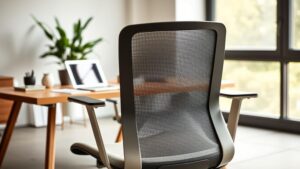
I talk to remote workers every single week. People are building out home offices, trying to figure out what actually matters and what’s just noise. And here’s the pattern I see more than anything else — they’ll drop money on a gorgeous monitor, a mechanical keyboard, maybe even a fancy standing desk converter. But the chair? That’s where they cut corners. Every time.
It catches up with them. Always does.
That’s exactly why I wanted to put this guide together. We’re zeroing in on one of the most dependable, genuinely well-built ergonomic chairs for anyone working remotely — and more importantly, how to build a complete Leap chair home office setup that actually supports your body from the moment you sit down until you’re done for the day.
This isn’t some surface-level product roundup. It’s a deep, practical walkthrough. We’ll unpack the ergonomic features that earn this model its reputation. We’ll look at how it slots into a workspace designed for long hours. And yeah — we’ll talk about price, because that matters. That balance between quality and what’s realistic for your budget is something I take seriously.
We want to help you make a decision you won’t second-guess. A purchase that serves your body, your focus, and your daily quality of life for years. Let’s figure this out together.
Key Takeaways
- This guide focuses on a high-performance ergonomic seat designed for all-day health and productivity in your home office.
- Ergonomic design with personalized adjustments offers superior comfort and targeted back support for remote workers.
- Integrating this chair into your workspace can significantly enhance your focus, daily output, and overall well-being.
- We provide a balanced, transparent look at the value proposition — so you can assess the investment with clarity.
- Our goal is to give you the confidence to make a purchase that serves you for a decade or more.
- You’ll learn how to create a holistic work-from-home environment centered on posture, comfort, and sustained energy.
Why Your Home Office Chair is Your Most Important Investment
What if one investment could eliminate daily aches and boost your focus for years?
Think about that for a second. Actually sit with it. How many hours a day do you spend in your office chair? For a lot of the remote professionals I work with, the answer is somewhere between eight and twelve. That’s more time than you spend in your bed. And yet — I can’t tell you how many people treat their chair like an afterthought. A thing they grabbed off Amazon during a lunch break, barely glancing at reviews.
Look, I get it. You’re busy. But here’s the thing. That stiff lower back creeping in around 2 PM? Shoulders hiking up near your ears by the end of the day? That’s not just discomfort. It’s your body screaming that the foundation of your workspace is failing you. It becomes a distraction — this low-grade, persistent pull away from the deep work you’re trying to do.
Your chair is the literal foundation of your work-from-home ecosystem. It shapes your posture moment to moment. It influences your concentration. And over months, over years? It’s quietly shaping your spinal health. That’s a big deal.
Choosing a high-quality, ergonomic model is proactive care. Not reactive. It’s about real support for every task — whether you’re locked in on a deadline or leaning back to think through a problem. The Leap chair by Steelcase is specifically engineered for that kind of dynamic, all-day use.
Here’s something that always stops people in their tracks: experienced users consistently report comfortable sitting for 10 to 12 hours at a stretch. Not white-knuckling it. Actually comfortable. That kind of endurance changes the texture of your entire workday.
And the price — let’s be honest about it. View this purchase through the lens of years. A chair that delivers for a decade is a wildly better value than replacing a flimsy one every eighteen months. You know this already, deep down.
The right adjustments and proper lumbar support transform your sitting position from a source of chronic strain into something personalized. Tuned to you. A haven, honestly.
I’m not trying to scare anyone. I’m trying to hand you a map. A thoughtful investment in your seat pays dividends in health and productivity for a long, long time. It touches everything — your energy after work, your weekends, your ability to actually enjoy the life you’re building around this career.
It’s time to move past the “any chair will do” mindset. Your foundation deserves full attention and a thoughtful portion of your budget.
Meet the Contender: An Overview of the Leap Chair by Steelcase
For over two decades, a single ergonomic chair has pretty much defined what it means to sit in genuine, supported comfort. When professionals and remote workers search for a seat that lasts — really lasts — one name surfaces again and again. Not because of marketing hype. Because the thing works.
This isn’t some fleeting design trend. It’s a product built on a thick foundation of biomechanical research and real-world, everyday use. I’ve recommended it to clients for years, and the feedback loop is remarkably consistent. People love this chair. They keep it. They tell their friends.
You’ll discover its heritage and why it remains a genuine benchmark in ergonomic seating. More importantly, you’ll learn how to navigate the two main versions available today. That knowledge alone is your first step toward a decision you can feel good about.
What is the Steelcase Leap?
So what exactly is this chair? Picture a seat designed in close collaboration with orthopedic specialists and biomechanical engineers. Its core philosophy is deceptively simple: move with the person sitting in it, not against them.
When it was introduced, it set a new bar for office chairs almost immediately. The driving goal was to create dynamic lumbar and back support that adjusts automatically as you shift throughout the day. That’s the beating heart of its LiveBack technology — and honestly, it’s the thing that separates this chair from 90% of what’s on the market.
Every detail — from the seat depth slider to the arm adjustments — offers a wide range of personalized control. This meticulous engineering is what cemented the chair’s reputation over decades, not months. Users and professional reviewers consistently praise how it blends robust build quality with genuine, day-long comfort. If you’re exploring Leap chair posture tips for remote workers, understanding this foundational design philosophy is where you start.
Think of it as a long-term investment in your physical well-being. An actively engineered tool designed to prevent strain before it starts. That proactive approach is what makes it more than another piece of office furniture.
Leap V1 vs. V2: Key Differences
You’ll primarily encounter two generations when shopping: the original V1 and the refined V2. Understanding how they evolved helps you pick the right version for your body and your budget.
The V2 represents a series of thoughtful, intentional refinements. Its LiveBack system is more responsive — it contours to your spine with greater precision, especially through transitions between sitting upright and leaning back. The backrest shape is subtly reshaped too, offering broader accommodation across shoulder widths.
One of the upgrades you’ll notice right away? The armrests. Often called 4D arms, they now adjust in four distinct directions — height, width, depth, and pivot. That gives you control over elbow and forearm support that most chairs can’t come close to matching.
The seat cushion on the V2 got attention, too. Some people find it offers a slightly different feel compared to the V1, though both versions are absolutely designed for marathon sitting sessions. It’s a subtle nuance. You might notice it after a long day, or you might not.
Where does the Steelcase Amia fit into all this? It’s a sibling model — often compared for its excellent comfort and slightly different back support architecture. The Amia is a fantastic chair in its own right. But the Leap models are typically celebrated for their more dynamic, truly adaptive backrest system.
Whether you’re looking at brand new, refurbished, or remanufactured options, knowing these distinctions is crucial. The V2 has been a top-rated model for years, but a well-maintained V1 is still a superb piece of engineering. Many of my clients specifically seek out V1s for the value they represent.
This legacy of continuous improvement is what explains the loyal following. It’s why this model keeps earning top marks — and it’s a serious, legitimate contender for anyone building a dedicated home office.
Engineered for Endurance: Ergonomic Features That Justify the Price
Let’s dissect the anatomy of endurance here. Every knob, lever, and pivot point on this chair has a specific purpose tied directly to your well-being. The cost reflects sophisticated engineering — period. This isn’t about premium finishes or brand prestige. It’s about building a support system that actively fights strain and fatigue throughout your entire working day.
We’ll walk through each major feature and show you how they work in harmony. The goal? Sustained comfort from your first email to your last task, whether that’s hour two or hour ten.
LiveBack Technology and Lumbar Support
Your spine isn’t static. It curves. It shifts. It reacts to every micro-movement you make. A rigid backrest fights that natural motion — and that fight is exactly where pain starts for most people.
LiveBack technology solves this problem elegantly. The entire backrest flexes dynamically with your body. It maintains consistent contact with your back, whether you’re sitting bolt upright, hammering out an email, or starting to recline during a long video call.
“True ergonomics isn’t about holding you in one ‘perfect’ position. It’s about supporting every position you naturally take throughout the day.”
— Ergonomics Consultant
The lumbar support here is really the star of the show. You can adjust its height vertically to match your particular spinal curve. A separate knob controls the firmness — how much it actually pushes into your lower back. Mastering the Leap chair lumbar adjustment for home office use is one of the first things I walk clients through, because it transforms the experience.
This dual adjustment means personalized care for your lower back. It targets the precise spot where so many people carry pain and tension. Once you dial it in, you genuinely forget it’s there — it just works.
Fully Adjustable 4D Armrests
Your arms and shoulders crave stability, too. Standard armrests — the kind on most budget chairs — often force your elbows into awkward, unnatural positions. That tension migrates up into your neck and shoulders fast.
The 4D armrests on this chair change the game entirely. “4D” means four independent directions of movement:
- Height: Move them up or down to match your desk surface.
- Width: Slide them inward or outward to fit your shoulder width.
- Depth: Bring them closer to your torso or push them further away.
- Pivot: Angle them to match your forearm’s natural resting line.
That level of granular control is rare. It lets you build a perfect support platform for your arms, customized to exactly how you work. Getting the Leap chair armrest height for typing dialed in correctly reduces neck and shoulder tension dramatically — I’ve seen it make a visible difference for people within the first week.
Seat Depth and Tilt Adjustments
Comfort really does flow from the ground up. The seat pan itself slides forward and back, and this depth adjustment ensures the right amount of support under your thighs without pressing against the back of your knees.
Good circulation depends entirely on this fit. Your knees should feel comfortable, not squeezed. Learning the proper Leap chair seat depth adjustment for wfh makes a noticeable difference in leg fatigue over long days.
The tilt mechanisms provide two critical controls. First, the recline tension knob — you set the resistance to match your body weight and personal preference for how easily the chair moves with you. Second, the variable stop tilt lock. This lets you choose your maximum recline angle. Lock it upright for focused desk work, allow a gentle lean back for reading, or land somewhere in between.
Movement is encouraged. But always on your terms.
| Feature | Adjustment Range | Primary Benefit |
| LiveBack & Lumbar | Height & Firmness Control | Dynamic, personalized lower back support |
| Armrests | 4D (Height, Width, Depth, Pivot) | Eliminates shoulder strain, supports neutral arm position |
| Seat Depth | Forward/Back Slide | Ensures proper thigh support and circulation |
| Tilt & Recline | Tension Control & Angle Lock | Encourages healthy movement without losing support |
Each feature is a piece of a larger puzzle. Together, they create a synchronized support system. This engineering justifies the investment by attacking discomfort at its root — not masking it with extra padding.
You’re not paying for a brand name. You’re funding years of research and deeply thoughtful design. The result is a tool built for the long haul — and your body knows the difference.
The Comfort Verdict: Is the Leap Chair Good for 8+ Hour Days?
Here’s the question that matters more than anything else: how does this chair feel at hour eight? Hour ten? Because the true measure of an ergonomic seat isn’t found in a showroom visit or a quick five-minute test. It’s found in the final stretch of a long, demanding workday.
Can this investment deliver on the promise of all-day comfort? We’ve gathered insights from long-term users and professional ergonomic testers to give you a real, unvarnished verdict.
Let’s address the most talked-about topic right up front. The seat pad on this model is thinner than a lot of people expect. That’s intentional — it promotes flexibility and better blood flow to your legs rather than letting you sink into a pillow. Finding the right Leap chair settings for back pain management involves understanding this design philosophy, because it’s fundamentally different from what most people are used to.
Some folks find the initial feel distinctly firm. It’s a different kind of comfort — one that supports active sitting rather than the plush, sinking sensation you get from heavily padded chairs.
Seat Comfort and the “Thin Pad” Debate
Who’s going to love this design? If you prefer a stable, supportive base that doesn’t trap your body heat or lock you into one position, this seat could be exactly right. The concave shape and flexible waterfall edge mold around you progressively.
It distributes your weight evenly, preventing that suffocating “locked-in” feeling. For a lot of people, this becomes the preferred way to sit for long hours. It took me about a week, personally. Then I couldn’t go back.
However, the amount of cushioning is genuinely personal. The firmness is part of the engineering, specifically designed to reduce pressure points over extended periods. If you’re coming from a deeply padded, cloud-like seat, expect an adjustment window.
This is where the break-in period comes into play. Like a really good pair of leather shoes, the materials adapt slightly with regular use. Many users report the seat feeling noticeably more personalized after two to three weeks of consistent sitting.
Back and Posture Support Over Long Periods
This is where the Steelcase Leap earns its legendary status. Full stop. The dynamic LiveBack system and the adjustable lumbar work together with this seamless, almost invisible harmony.
Your spine is cradled correctly hour after hour. This unwavering support is what dramatically cuts mid-day fatigue — that wall you hit around 3 PM where your body just wants out. Professional ergonomic testers consistently report comfortable sitting for 10 to 12 hours. If you’re someone who routinely pushes long days, exploring the Leap chair for 10 hour workday performance is worth your time.
“The backrest is what makes the long sessions possible. You forget it’s there because it’s just… working. That’s the sign of great quality.”
— Long-term user, 5-year review
The adjustments for back support and recline tension are absolutely crucial. Once they’re dialed in to your body, they create a personalized environment for sustained focus. Users who’ve owned this chair for three, five, or even seven years regularly note that the support hasn’t degraded.
It’s not about forcing some rigid “perfect posture.” It’s about providing a supportive framework for your natural movements throughout the day. That nuance — that philosophy — is the core of the chair’s long-term value.
| Comfort Aspect | Experience | Consideration |
| Seat Pad Feel | Firm, supportive, promotes circulation. Molds to the user over time. | May require a short break-in period. Not a plush, sinking feel. |
| All-Day Back Support | Exceptional. The Dynamic LiveBack system provides consistent spinal alignment. | Proper adjustment of lumbar height and firmness is key to optimal comfort. |
| 8+ Hour Endurance | Highly rated by testers and long-term owners for marathon sessions. | Comfort is sustained through ergonomic design, not excessive padding. |
| Overall Verdict | Engineered for active, supported sitting that reduces physical fatigue over time. | Ideal for those who prioritize posture support over ultra-soft cushioning. |
So, is the Steelcase Leap good for 8+ hour days? For the vast majority of people seeking intelligent, evidence-based ergonomics, the answer is a confident yes. The chair excels where it matters most: keeping your back and posture supported through the long haul.
The seat comfort is a more personal, subjective matter. If you value dynamic support and healthy circulation over a plushy sinking sensation, you’ll likely come to appreciate its design deeply. For many remote workers, it represents a superior brand of all-day comfort — one that protects your evenings and weekends from residual work pain.
New, Refurbished, or Remanufactured? Navigating Your Purchase Options
Smart shopping means understanding all the avenues for bringing this high-performance chair home. You’ve got three main paths: buying brand new, going with a refurbished model, or selecting a remanufactured unit. Each offers a different balance of cost, warranty coverage, and immediate out-of-the-box condition.
Your goal should be finding the sweet spot where your budget meets long-term quality. No compromise needed — just clarity. Let’s break these categories down so you can shop with genuine confidence.
Think of it this way. Buying brand new from the manufacturer gives you an untouched product with the full original warranty. It’s the classic route, and for some people, that matters deeply. Nothing wrong with it.
Refurbished office chairs are typically returns or display models. They receive a basic inspection and cleaning before going back out. The savings are real, but the depth of renewal can be minimal — so ask questions.
Then there’s the remanufactured route. And honestly? This is where the real value often shines for anyone paying attention. It’s a comprehensive, factory-level rebuild that brings the chair back to a like-new standard.
The Value Proposition of Remanufactured Leaps
What does “remanufactured” actually mean in practice? It’s a meticulous process. Specialists completely disassemble each unit. Every component gets cleaned, inspected, and evaluated. All worn items are replaced. The chair is rebuilt with high-quality parts — often better than the originals.
Companies like Crandall Office Furniture are leaders in this space. Their remanufactured Steelcase Leap models receive critical upgrades: a brand new, thicker seat pad for enhanced comfort, new arm pads, fresh casters, and a new gas cylinder. The entire upholstery gets replaced. You end up with something that functions and feels like new — but at a fraction of the cost.
“Remanufacturing isn’t a cosmetic refresh. It’s a complete mechanical renewal that often improves upon the original specs, like with a denser seat foam.”
— Office Furniture Specialist
The warranty is a massive selling point. Crandall, for instance, backs their remanufactured Leap chairs with a robust 12-year warranty and a 30-day return policy. That kind of assurance is genuinely rare in the secondary market.
And the numbers speak for themselves. A brand new model runs around $1,399. A fully remanufactured unit with all new soft components? Roughly $649. That’s significant savings you can redirect toward a height-adjustable desk, a quality monitor arm, or better lighting.
This approach is also sustainable — it gives a premium chair a meaningful second life. For many of the professionals I advise, it’s the most logical path to owning a top-tier ergonomic seat.
Where to Buy: Madison Seating and Other Retailers
Now — where do you actually find these options? You can purchase new ones directly from Steelcase or authorized dealers. Fair warning: return policies for new office furniture have gotten tighter, often narrowing to just 14 days.
For refurbished and pre-owned models, several reputable retailers exist. Madison Seating is a well-known, established reseller with over 20 years in the business and more than 1,000,000 office chairs sold. They offer certified pre-owned and open-box premium office chairs — including various Steelcase Leap models — backed by an exclusive 10-year warranty and a 30-day money-back guarantee. Every chair goes through its rigorous 127-point inspection and certification process. If you’re hunting for the best work from home chair Steelcase Leap at an accessible price point, Madison Seating is a strong starting point.
BTOD is another trusted source for refurbished Leap chairs with their own inspection process. It’s wise to compare exactly what each company includes in their service and certification.
| Retailer Type | Typical Warranty | Return Policy | Key Consideration |
| Brand New (Manufacturer) | Full Original (e.g., 12 years) | Often 14 days | Pristine condition, highest cost. |
| Remanufactured (e.g., Crandall) | Long (e.g., 12 years) | Generous (e.g., 30 days) | Like-new function with new wear parts (foam, arm pads). |
| Certified Pre-Owned (e.g., Madison Seating) | Up to 10 years | 30-day money-back guarantee | 127-point certified, significant savings, free shipping. |
When you’re evaluating any retailer, check what their “refurbished” or “certified” label actually includes. New arm pads? New seat foam? What’s the warranty length? This kind of diligence ensures you get a genuinely reliable product.
This isn’t a compromise. It’s a smart, fully informed choice. You can own a chair designed for 10-hour days without the steep initial hit. That freed-up budget? Put it toward enhancing your entire workspace — because the chair is just one piece of the puzzle.
By understanding these purchase paths, you align your finances with realistic expectations for longevity and performance. You make a confident choice that serves you for years to come.
Potential Drawbacks: Considerations Before You Commit
A truly informed decision means looking at potential drawbacks with the same honest clarity you’d give the benefits. No piece of office furniture is universally perfect. And I’d rather you know that upfront than discover it after the box is open.
I believe in fully transparent assessments. Knowing these points ahead of time helps you set realistic expectations. What gives one person pause might be completely irrelevant to someone else. Context is everything.
The goal here? Make sure you commit with your eyes wide open. Let’s dig into the common considerations.
The Controversial Headrest
The optional headrest is a frequent topic of debate. And honestly, most of my clients end up removing it.
A primary criticism is the design itself. Instead of cradling your head in a neutral, relaxed position, it can feel like it actively pushes your head and neck forward. That defeats the entire purpose. You end up fighting it rather than resting on it.
The headrest also has a reputation for instability — some models slowly droop from their set height over time. Frustrating? Yeah. Especially mid-afternoon when you’re leaning back to think.
“I removed the OEM headrest after a week. It forced my posture into an awkward forward tilt instead of letting me relax.”
— User feedback from long-term owner
When is it potentially useful? Honestly, only in a full lean-back position during brief moments of rest. For upright task work, many experienced users recommend skipping it entirely.
If head and neck support is a real priority, consider an aftermarket solution. The Atlas headrest from Crandall is a popular upgrade — it offers better adjustability and a more natural angle that actually cooperates with the chair’s back design.
The stock headrest also adds cost. You might be better off redirecting that portion of your budget toward a thicker seat pad upgrade, which delivers more tangible daily comfort for most people.
Initial Break-in Period and Firmness
This chair is built for durability measured in years, not months. That engineering translates to a distinctly firm feel right out of the box. The seat pad is supportive — deliberately so. It’s not plush.
This leads to the idea of a break-in period. The high-density foam and mechanisms can take a couple of weeks to settle and adapt to your particular body shape and weight. It’s a real thing. Don’t panic on day one.
Some users never find the cushioning soft enough, especially in the tailbone area. If you genuinely prefer a deeply cushioned, sinking feel, this might not be the right match for you. And that’s okay — knowing that early saves everyone time.
Here are practical options if firmness is a concern:
- Use a separate seat cushion during the initial adjustment weeks to bridge the gap.
- Consider a remanufactured model from a vendor like Crandall — they often include a brand new, extra-thick seat foam upgrade that addresses this exact concern.
- Make sure all adjustments — especially seat depth and lumbar support — are perfectly tuned for your body. Half the discomfort I see comes from settings that haven’t been touched since unboxing.
And finally, the sheer number of adjustments, while a genuine strength, can feel overwhelming at first. All those levers and knobs. Don’t let that intimidate you.
Set aside 15 minutes when you first get it. Work through each setting methodically — seat, arms, back, recline. This upfront effort is what unlocks the long-term comfort and support the chair was designed to deliver. Understanding the core Steelcase Leap ergonomic setup tips during that initial configuration session makes all the difference.
Weigh these factors against the celebrated benefits. For most people, these are minor quirks — not deal-breakers. They’re the trade-offs inherent in a great chair built to perform for a decade or more.
Building Your Ultimate WFH Setup Around the Leap Chair
Think of your high-performance chair as the anchor point for an entire ecosystem of productivity and comfort. It’s the centerpiece — but it’s only part of the equation. To unlock its full potential, you need to integrate it into a holistic work-from-home environment where every piece supports every other piece.
I’ve helped hundreds of remote workers build these setups. It starts with perfect alignment between your body, your chair, and your desk. Then it extends outward to smart accessories that close the remaining gaps. The result is something that genuinely feels like a sanctuary — built for focus, built for well-being.
Your investment deserves a proper foundation. Let’s build the workspace that amplifies every ergonomic benefit this chair offers.
Desk Height and Chair Alignment
Proper desk height is the bedrock of a healthy setup. The whole goal is achieving a neutral body position that feels effortless — like you could maintain it for hours without thinking about it.
Start with your seat height. Adjust it so your feet plant flat on the floor, with your thighs roughly parallel to the ground. This is non-negotiable for good circulation. Once that’s set, follow the Leap chair desk height recommendation guidelines: your desk surface should sit at or just slightly below your elbow height when your arms rest at a 90-degree angle. Shoulders relaxed. Not hunched.
Next, check the seat depth. Slide the pan so there’s about two fingers of space between the seat edge and the back of your knees. This small gap prevents pressure buildup and allows natural, easy movement throughout the day.
Fine-tune the back support and armrests last. They should cradle and support you without ever forcing a rigid position. This alignment becomes your daily recipe for sustained comfort.
Good news? Getting started is fast. Most models ship nearly fully assembled. You can realistically go from box to perfectly adjusted bliss in under ten minutes. That’s a pretty decent ROI on your time.
Complementary Accessories for Ergonomics
A supportive office chair deserves great partners. The right accessories complete the system and tackle the common strain points that a chair alone can’t address.
Consider these additions to elevate your workspace:
- Adjustable Standing Desk Converter: Lets you alternate between sitting and standing throughout the day. Promotes movement and combats the fatigue that comes from staying in any single position too long.
- Monitor Arm: Brings your screen to true eye level. Your neck stays neutral, the screen floats at exactly the right distance. This is a genuine game-changer for posture. Pairing a quality arm with a proper monitor height setup with Leap chair positioning creates an almost seamless visual-postural alignment.
- Supportive Footrest: If your feet don’t comfortably reach the floor at the right seat height, a footrest fills the gap. It maintains that crucial thigh-to-floor angle that protects circulation.
- High-Quality Desk Mat: Defines your workspace and provides a comfortable, stable surface for your keyboard and mouse. Small detail, noticeable impact.
- Task Lighting: Proper lighting reduces eye strain significantly. Position a lamp to illuminate your work surface without throwing glare on your monitor.
- Cable Management System: Tidy cables reduce visual clutter and physical trip hazards. A clear desk promotes a clear mind — and that’s not just a platitude.
Even small additions transform a makeshift home office into a productivity sanctuary. Each piece supports your physical well-being and lets you use the chair to its absolute fullest potential.
By treating your seat as the centerpiece and building outward, you create an environment deliberately designed for efficiency and comfort. Your office furniture works in harmony. This thoughtful curation ensures your investment pays off in health, focus, and quality of life every single day.
Is the Steelcase Leap the Right Chair for Your Home Office?
We’ve weighed the pros and the cons. Looked at the engineering, the comfort profiles, the purchase options, and the honest drawbacks. Now it’s time for a clear, actionable verdict.
For most remote workers logging serious hours, the answer is a strong yes. The top-rated ergonomic design delivers personalized support that lasts for years — not months. This investment in your daily comfort, your posture, and your long-term physical health is justified. Especially when you explore the different Leap chair recline positions for work and discover how many ways this chair adapts to your tasks.
Our comprehensive review shows it’s a genuinely great chair for focused, sustained productivity. However, if you crave a deeply plush seat cushion or need robust headrest support out of the box, factor those preferences in carefully.
My recommendation: assess your body, your specific work habits, and your realistic budget. Explore certified pre-owned and remanufactured options for outstanding value. Take advantage of trial periods and return policies to experience the fit firsthand in your actual workspace.
The right chair disappears beneath you. You stop thinking about it and fully engage with your work. For many people, this model achieves that ideal perfectly.
FAQ
Is the Steelcase Leap really worth the investment for a home office?
Absolutely — and I say that as someone who’s sat in just about everything on the market. When you consider years of daily use, the impact on your posture, and the sheer number of adjustments that let you dial in genuinely perfect support, the value becomes unmistakable. It’s an investment in your long-term comfort, your health, and honestly, your quality of life outside work hours too. Not just another piece of office furniture.
How does the lumbar support actually work?
The innovative LiveBack technology means the entire backrest physically changes shape to follow your spine’s movement. Unlike a static pad that pushes into one spot, it provides dynamic, full-back support that adapts whether you’re reclining, sitting straight, or shifting between the two. It reduces pressure points and encourages the kind of natural movement your body craves during long sitting sessions.
Can you sit in it comfortably for 8+ hours?
Yes — that’s precisely what it’s engineered for. The responsive back support, adjustable seat depth to relieve pressure on your legs, and customizable arm pads work together to maintain comfort and proper alignment throughout your entire workday. It’s built for endurance, not just short bursts of comfort.
What’s the main difference between the V1 and V2 models?
The core ergonomics are similar, but the V2 features more refined 4D armrests with softer padding, a smoother recline mechanism, and updated fabric options. The V1 remains a fantastic, incredibly durable option — and it’s often found at a lower price point in the remanufactured and certified pre-owned market. Both are excellent chairs. The V2 just has a few extra layers of polish.
Should I get the version with a headrest?
This is honestly personal, and I lean toward no for most people. If you frequently lean back to think or take calls, a well-designed headrest can be wonderful for neck support. But for primarily upright, task-focused work — which describes most remote workers — many find it unnecessary or even counterproductive. Consider your actual daily habits before adding that cost.
Is buying a certified pre-owned model from a seller like Madison Seating a good idea?
It can be an excellent decision. Madison Seating has over 20 years in business, more than 1,000,000 chairs sold, and backs their certified pre-owned inventory with an exclusive 10-year warranty. Every chair goes through a comprehensive 127-point inspection and professional certification process. You get the same premium ergonomic performance at a significantly more accessible price — with free shipping and a 30-day money-back guarantee. That’s hard to beat.
Does it take long to break in?
The seat has a supportive firmness that some notice initially — and that’s by design for all-day endurance. Over a short period, typically a week or two, the high-quality materials soften slightly to contour to your body while retaining their supportive structure. Think of it like a good pair of shoes. The first few days feel different. Then it just… fits.
How do I set up my desk and this chair correctly?
Start by adjusting the seat height so your feet are flat on the floor and your knees are level with your hips. Set the armrests so your elbows form a natural 90-degree angle. Your desk surface should sit at or just slightly below elbow height, allowing your shoulders to stay fully relaxed. From there, fine-tune the lumbar support and seat depth for your specific body. That complete alignment is what turns a good chair into a transformative one.