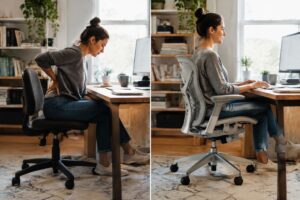
Quick Answer
An Aeron work chair uses PostureFit SL because its two-pad back support holds both the sacrum and the lower spine, which keeps the pelvis tilted slightly forward and the spine in its natural S-curve. It suits anyone sitting at a desk for long hours, especially remote professionals leaving a makeshift setup.
An Aeron work chair matters most to remote — hybrid professionals who sit six to ten hours a day on a dining chair, a gaming seat, or whatever got them through the first few months of working from home. The Aeron is Herman Miller’s mesh ergonomic task chair, designed by Bill Stumpf and Don Chadwick, and PostureFit SL is the back support system that sets many of its versions apart.
PostureFit SL uses two separate pads, one for the sacrum and one for the lower back, to hold the pelvis tilted slightly forward. That keeps the spine in its natural S-curve instead of letting it slump. In practice, it’s the feature that tends to decide whether an Aeron feels supportive or just feels like a firm mesh seat.
Not everyone needs it, and not everyone needs a new chair to get it. Sizing, version, and configuration all change the result, and so does whether a pre-owned or certified refurbished model fits the budget.
What Is PostureFit SL on an Aeron Work Chair?
PostureFit SL is a two-pad back support system on the Herman Miller Aeron that supports the sacrum and the lumbar spine separately. Every Aeron work chair with this option keeps the pelvis tilted slightly forward, which helps hold the spine’s natural S-curve. Herman Miller lists it as an option on its office chairs page.
What Do the Sacral and Lumbar Pads Actually Do?
The sacral pad braces the base of the spine, while the lumbar pad fills the curve above it. Together they stop the pelvis from rolling backward, which is how most people end up slumped after a few hours.
- Sacral pad: sits low and keeps the pelvis upright.
- Lumbar pad: supports the inward curve of the lower back.
- Control knob: sets how firmly the pads press, so a user can tune the feel.
In practice, remote workers who sit eight hours at a computer notice the difference most in the final third of the day, when a weak backrest usually lets them sag.
How Is PostureFit SL Different From the Classic Adjustable Lumbar Pad?
PostureFit SL supports two zones with angled pads, while the classic adjustable lumbar pad is one strap-controlled pad that moves up and down. The single pad targets only the lower back, so it leaves the sacrum unsupported.
The same difference shows up when comparing any Steelcase task chair with fixed lumbar support against a chair with layered, adjustable support. Many refurbished Aeron units carry either system, so check the listing before buying.
How Does PostureFit SL Support Your Spine During Long Hours at a Desk?
PostureFit SL is a two-pad back support system in the Aeron that pushes gently on the sacrum and the lower spine at the same time. That keeps the spine in its natural S-curve instead of letting it slump into a C-shape after a few hours of work.
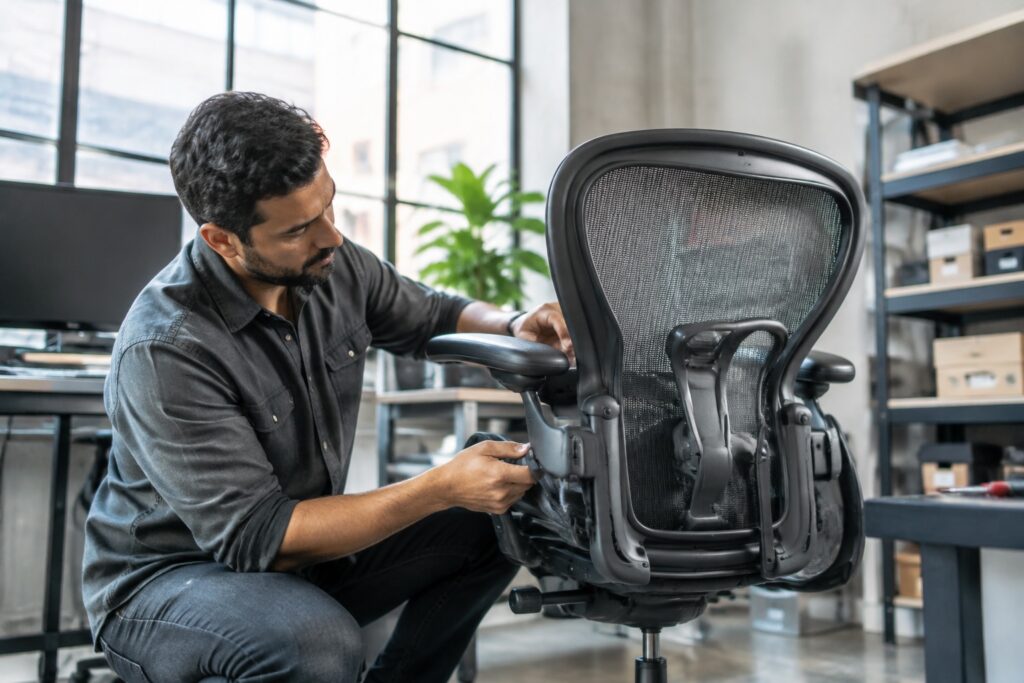
A dial on the back of the chair sets how firmly the pads press. On an Aeron work chair, most people land on a light-to-medium setting within the first week. Cranking it up rarely helps.
Why Does a Tilted Pelvis Matter for Lower Back Pain?
A slightly forward-tilted pelvis keeps the lower spine curved the way it naturally is, which cuts strain on the discs and the muscles around them. A pelvis that rolls backward flattens that curve and loads the lower back.
PostureFit SL’s sacral pad is what holds the pelvis in place.
Other chairs lean on a single lumbar bump, such as the Humanscale Freedom chair, which takes a different approach with a self-adjusting recline and headrest. The Humanscale Freedom task chair suits people who want fewer manual adjustments. The Aeron suits people who want to dial in their own fit.
How Do the 8Z Pellicle Mesh and Harmonic 2 Tilt Work With It?
The 8Z Pellicle mesh spreads body weight across eight zones of varying tension, and the Harmonic 2 tilt lets the backrest follow the sitter’s movement. Together they keep the PostureFit pads in contact with the back as the sitter leans or reclines.
- 8Z Pellicle: breathable mesh with no foam, so heat doesn’t build up.
- Harmonic 2 tilt: adjusts to body weight, with a limiter for three recline stops.
- Result: steady support whether typing upright or reclining on a call.
Who Needs an Aeron Work Chair With PostureFit SL?
An Aeron work chair with PostureFit SL suits people who sit four or more hours a day and feel lower back or tailbone strain. PostureFit SL is a dual-pad back support that supports both the sacrum and the lumbar spine, so it helps most when a chair has left you slumping into a C-curve.
Is It Worth It for Remote and Hybrid Professionals Upgrading From a Makeshift Setup?
Yes, an Aeron with PostureFit SL is worth it for most remote—hybrid professionals who sit through long computer days at a kitchen chair or a bargain mesh seat. The chair offers fully adjustable arms, a tilt limiter, and breathable 8Z Pellicle mesh, and Herman Miller lists three Aeron sizes to fit different bodies.
In practice, size matters as much as the pad. Size B fits roughly 70% of users between 5’3″ and 6’2″, while Size A suits smaller frames and Size C suits taller or heavier users. A certified pre-owned chair with a warranty cuts the entry cost without changing the design.
Who Should Skip It or Choose a Steelcase Leap or Amia Instead?
People who prefer a cushioned seat, need a built-in headrest, or want a chair that adjusts less should skip the Aeron. The mesh seat feels firm, and some sitters never warm to it.
- Steelcase Leap: better for sitters who want LiveBack flex and separate upper back and lower back firmness controls.
- Steelcase Amia: a good fit for 4-8 hour days, and the Humanscale task chair alternative shoppers compare it with still gets a simple LiveLumbar setup.
- Humanscale: buyers who want minimal controls often look at a Humanscale office chair such as the Freedom.
Aeron Remastered vs Classic: Which Version, Size and Configuration Should You Choose?
The Herman Miller Aeron Remastered is the better pick for most buyers, because it adds PostureFit SL back support and an updated 8Z Pellicle mesh. The Classic still works well, and a certified pre-owned unit with a warranty can make sense if you want the original look. An Aeron work chair only pays off when the version, size, and options match your body.
Which Aeron Size Fits You: A, B or C?
Size B fits roughly 70% of users, so it’s the safe default for anyone between 5’3″ and 6’2″ and 130-230 lbs. Size A suits people from 4’10” to 5’7″ under 130 lbs, while Size C covers 5’9″ to 6’6″ and over 200 lbs. If you’re between B and C, check seat depth: 16.5″ for B, 17.5″ for C.
Not sure the Aeron is right?
A steel case chair like the Leap offers a seat-depth slider and is a fair alternative to test against.
What Does a Fully Loaded Aeron Include Compared to Semi-Loaded and Standard?
A fully loaded Aeron includes every adjustment, while semi-loaded and standard models drop some of them. The differences are easy to scan:
- Fully loaded: arms adjustable in height, width, depth, and pivot; PostureFit SL or adjustable lumbar; tilt limiter and seat angle; forward tilt; premium casters.
- Semi-loaded: height-adjustable arms, lumbar pad, basic tilt and tension, standard casters.
- Standard: fixed or height-adjustable arms, basic lumbar, standard tilt.
For long hours at a desk, fully loaded is worth it. Anyone who only needs a basic ergonomic office chair for home office use might prefer a simpler build, but the Aeron’s real strength is how precisely you can tune it.
Is a Pre-Owned or Refurbished Aeron Work Chair Worth Buying?
A pre-owned or refurbished Aeron work chair is worth buying when it’s authentic, inspected, and backed by a long warranty. The frame, 8Z Pellicle mesh and PostureFit SL support are built for years of heavy use, so a well-restored chair keeps most of its life.
How Does a Certified Refurbished Aeron Compare to a New One?
A certified refurbished Aeron performs like a new one when worn parts are swapped for OEM or upgraded components and every adjustment is tested. The real difference is the paperwork: a new chair carries Herman Miller’s 12-year warranty, while Madison Seating backs its refurbished Aerons with a 10-year warranty and a 127-point inspection.
Buyers weighing other brands can also look at a Steelcase office chair alternative, though the Aeron’s mesh remains the benchmark for airflow. Anyone who runs warm should also consider a mesh office chair for hot sleepers as a budget comparison.
What to Check Before You Buy: Authenticity, Warranty, Returns and Parts
Four checks separate a safe purchase from a gamble: proof the chair is genuine, a written warranty, a clear return window, and available parts. Used listings on marketplaces rarely offer all four.
- Authenticity: look for the Herman Miller label and serial tag under the seat, and ask for the model year.
- Size: confirm Size A, B, or C. Size B suits roughly 5’3″ to 6’2″.
- Configuration: a fully loaded chair has adjustable arms, PostureFit SL, and a tilt limiter.
- Warranty and returns: Madison Seating offers 30 days to return, and free delivery in the USA.
- Parts: seat replacement, lumbar pads, and casters should be easy to source.
Frequently Asked Questions
Is the Aeron work chair worth it for a home office?
An Aeron work chair is worth it if you sit more than four hours a day. Its adjustable arms, PostureFit SL back support, and breathable mesh solve problems cheap chairs don’t. A certified pre-owned Aeron gives you that performance for much less than new.
Which Herman Miller Aeron size do I need?
Size B fits most people, roughly 5’3″ to 6’2″ and 130 to 230 pounds. Size A suits smaller frames under about 5’7″. Size C suits taller or heavier users, around 5’9″ to 6’6″ or over 200 pounds.
What’s the difference between the Aeron Classic and the Remastered?
The Aeron Remastered, released in 2016, updated the original Classic with PostureFit SL back support, a redesigned mesh, and more recycled content. The Classic uses an older lumbar pad system. Both are well built, so condition and configuration matter more than the label.
Does the Herman Miller Aeron have a headrest?
The standard Aeron doesn’t include a headrest. Herman Miller doesn’t build one into the chair, so people who want neck support usually add a separate accessory. If you recline often, test that setup before committing.
Is a refurbished Aeron as good as a new one?
A professionally refurbished Aeron performs like a new one when it’s been inspected, tested, and fitted with replacement parts where needed. Look for authentic Herman Miller construction and a solid warranty. Madison Seating, for example, backs its certified chairs with a 10-year warranty.
Can an Aeron chair help with back pain?
An Aeron can reduce desk-related back pain by supporting your spine’s natural curve, but it isn’t a medical device. Proper sizing and adjustment matter most. Give your body a couple of weeks to adapt, and see a doctor for persistent pain.
What does a fully loaded Aeron include?
A fully loaded Aeron includes fully adjustable arms, PostureFit SL or adjustable lumbar support, a tilt limiter with seat angle adjustment, and forward tilt. Semi-loaded and standard versions drop some of those controls. Fully loaded is the best pick if several people share the chair.
An Aeron work chair with PostureFit SL suits anyone who sits at a desk for six or more hours a day — has outgrown a dining chair or a cheap task seat. The dual-pad support holds the pelvis and lower spine in place, and that’s the part a makeshift setup can’t copy. Buyers who sit very upright or prefer a plush seat should try a Steelcase Leap or Amia instead.
The next step is simple. Measure your height and weight, match them to Size A, B or C, and choose a certified pre-owned unit that includes a written warranty and a return window. Then give it two full weeks of workdays before judging it.