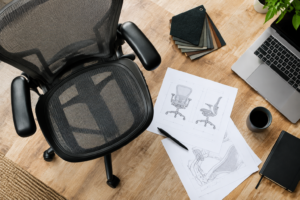
Searching for a premium office chair that fits long workdays? This 2026 buyer’s guide helps you match the right model to your body, desk, and work style. We focus on comfort, design, and a simplified user experience—no maze of knobs.
These are high-end seats with clear tradeoffs. You’re paying for refined engineering and a “sit down and get to work” vibe, not a cockpit full of dials. And honestly, that’s either a dream or a dealbreaker, depending on how picky you are.
One quick reality check before we get carried away: policies can vary by listing (open box vs. new, accessories, etc.), so always confirm details on your exact product page before checkout—especially returns and warranty terms.
We preview four models—Diffrient World, Diffrient Smart, Liberty, and Freedom—and explain the differences you’ll feel in the seat, back, arms, and recline.
Madison Seating is our recommended shopping and guidance partner. They help you pick seat type, arms, and headrest so you get the setup right before checkout (because yeah… you don’t want “almost right” when you sit 6–10 hours a day).
This guide is for shoppers across the United States—from home offices to commercial spaces. Expect fast, at-a-glance recommendations plus deeper sections to move from shortlisting to purchase-ready decisions. If you’re browsing Madison Seating for a Humanscale office chair, you’ll be in the right place.
Key Takeaways
- We compare four top models to match body and work style.
- These are premium office chairs focused on design and comfort.
- Returns and warranty details can vary by listing—verify the exact terms on the product page before you buy.
- Madison Seating guides configuration and purchase details.
- Quick recommendations and detailed reviews help you decide fast.
Why Humanscale is a top choice for ergonomic office seating in 2026
A clean, purposeful design can change how you feel at your desk all day. Minimal controls and smooth lines keep attention on your work, not on fiddly knobs. That minimalism often translates into an effortless sitting experience—you sit, the chair adapts, and you get to your task.
Minimalist design and comfort at a desk
The brand’s approach favors fewer adjustments and clear geometry. Less hardware means less setup. In shared offices, this reduces onboarding and keeps ergonomic support consistent for different users (nobody wants a chair that feels “broken” just because the last person cranked the tension all the way up).
What “mechanism-free” and weight-sensitive recline mean for everyday work
“Mechanism-free” recline simply uses your body weight to move the back—no tension knobs to tune. It’s ideal for simplicity, but it can limit micro-customization for power users.
The Freedom-style weight-sensitive system settles into a comfortable posture, so you stay supported while you type or read. Expect a lighter frame feel versus heavy metal designs; that tradeoff helps movement and encourages posture changes—often the biggest win for long days.
When it’s time to pick arms, headrest, or seat type, we point you to Madison Seating for guided configuration based on how you work.
How we evaluated these office chairs for long hours of work
We test every office chair by simulating full workdays to see what changes between minute 10 and hour 6. That helps you understand short-term comfort and true endurance over long hours. And yes—some chairs feel amazing for 20 minutes and then slowly start beefing with your hips. That’s what we’re trying to avoid.
Quick aside: a lot of people use “task chair” to mean “the chair I live in at my desk.” Same. The trick is finding a chair that stays supportive when you’re not sitting like a textbook diagram.
Back support and natural curve performance
We look beyond a simple lumbar pad. The best back design matches your spine as you shift. Tri-panel pivoting mesh backs on some models keep contact while you move, so lumbar support feels consistent rather than spotty.
Seat comfort, depth, and height adjustability
Seat comfort is pressure distribution and front-edge relief. Models with seat depth and seat height adjustments let you sit with thighs supported and knees free of pressure. (If you’ve ever stood up and felt that behind-the-knees pinch, you know what I’m talking about.)
Arms, arm pads, and tasking ergonomics
We check whether arm pads cushion typing and if adjustable arm options let you keep neutral wrists while mousing. Liberty’s arms are height-only; Freedom offers synchronous arms for quicker changes.
Recline, tilt behavior, and stability while typing
Does recline feel steady when you work, or does it rock you out of position? We prefer a stable tilt that holds posture during focused tasks rather than a loose rocking motion.
Fit for different body types
Our body-fit tests include average, petite, and big tall office profiles. Seat width, arm spacing, and back height determine whether a chair feels roomy or cramped.
Use this checklist with Madison Seating
Madison Seating helps you translate these checks into a configuration—seat type, arms, and headrest—so you get the right fit before checkout.
| Key Test | What We Want | Model Notes |
| Back support | Consistent natural curve, pivoting contact | Tri-panel mesh keeps support while shifting |
| Seat adjustability | Seat depth plus seat height options | World/Smart: both; Liberty: height-only pan |
| Arms | Cushioned pads, adjustable arm range | Freedom: synchronous arms; Liberty: height-only |
| Recline & tilt | Stable tasking feel, no distracting rocking | Weight-sensitive designs hold position well |
| Body fit | Room for big, tal,l and tall office users | Wide seats and higher backs suit big, tall builds |
At-a-glance comparison of the best Humanscale models
Choose smarter, not slower: a compact comparison to match fit and style. Below is a fast summary that helps you pick a model in under two minutes, then dive deeper in later sections.
Quick fit guide by height, weight, and work style
Short users often prefer a standard back and a smaller seat pan. Taller users need a higher back and more depth. Lightweight and frequent movers benefit from a responsive recline. Static sitters should favor a stable, weight-sensitive system that holds posture.
Mesh seat vs foam seat preferences
Mesh seat winner: Diffrient World — the only model with a mesh seat for cooler comfort and a stretchy feel. Foam seat options: Diffrient Smart, Liberty, and Freedom use foam over a flexible pan for a more traditional padded experience.
Headrest support and neck curve alignment
The headrest pick is the Freedom. Its optional, height-adjustable headrest is shaped to follow your neck curve when you recline.
| Need | Best Match | Why |
| Cool, breathable seat | Different World | Mesh seat stretches and ventilates |
| Padded comfort | Smart / Liberty / Freedom | Foam over a flexible pan for cushioning |
| Head/neck support | Freedom (optional) | Height-adjustable headrest that follows the neck curve |
Work style filter: focused desk tasking, mixed work + calls, conference use, or full-day support — match your primary activity to the table above.
Before you buy: verify exact dimensions, arm packages, and headrest inclusion with Madison Seating so your final setup fits your height, weight, and workspace.
Humanscale Diffrient World overview: flexible mesh seat and tri-panel back
Built around a stretchy mesh seat and a pivoting tri-panel back, the Diffrient World favors simplicity over many controls. You get a clean, airy design with a very flexible sitting surface and a minimal adjustment set.
Who it fits best
This smaller-footprint chair suits average, slim, and petite users. If you prefer a compact profile and don’t need extra-wide clearance, this model will feel right.
Mesh seat feel and tradeoffs
The mesh seat is soft and stretchy, offering breathability and a forgiving surface. Some users notice plastic under the very flexible frame—this is part of the tradeoff for light, adaptive comfort. If you’re wider than the intended fit, you may contact the seat frame sides over time, which can reduce long-term comfort for larger bodies.
Tri-panel backrest with pivoting support
The all-mesh, tri-panel back pivots to follow your motion. Instead of an adjustable lumbar piece, the back conforms as you move and provides steady support across shifts.
Arm choices and core adjustments
Arm packages include armless, standard arms, or fully adjustable arms. Fully adjustable arms add height and maneuverable caps for real desk tasking. Core adjustments are simple: seat height and seat depth. That keeps setup fast and aligned with the mechanism-free philosophy.
Tip: Talk with Madison Seating to pick the right arm package—especially the fully adjustable option—so your typing and mousing stay comfortable.
| Feature | What to expect | Best for |
| Mesh seat | Soft, breathable, very flexible | Cool comfort and movement |
| Tri-panel back | Pivoting, conforming support | Dynamic lumbar support |
| Arms | Armless / Standard / Fully adjustable | Fully adjustable for desk work |
| Adjustments | Seat height, seat depth | Quick, minimal setup |
Different World ergonomics deep dive for desk chairs and tasking
The Diffrient World’s responsive design prioritizes motion over micro-adjustments, so you feel changes rather than fiddle with settings. If you’re the type who likes to “set it once and forget it,” it can be a really satisfying match.
Mechanism-free recline explained:
The recline uses your body weight to move the back. You lean, and the chair tilts—no tension knobs or separate locks to tune. That makes for an intuitive, low-maintenance experience during focused work at a desk.
What you’ll actually feel while tasking
You’ll notice a smooth, continuous tilt that tracks your movement. For many, this feels natural and simple. For others, it can seem less customizable—there’s no precise dial to lock a single preferred angle.
Typing stability and tilt behavior
The weight-sensitive tilt holds posture well for general tasks. But when you need to sit forward and type aggressively, the motion can allow small shifts that affect hand position.
Noise, materials, and long-term experience
Lightweight plastics help the chair feel agile. Over time, those parts can create audible clicks and creaks as they wear. If your home office needs near-silent operation, plan for that possibility.
Workday fit guide:
- If you change posture often, you’ll likely enjoy the responsive recline and fluid support.
- If you want fixed, repeatable settings, a synchro-tilt model may suit you better.
- Small comfort wins—or annoyances—compound with time. Talk with Madison Seating to match this mechanism to your work style and expectations before you commit.
Humanscale Diffrient Smart overview: padded seat comfort with minimalist controls
If you want a cushioned alternative that keeps minimal controls, the Diffrient Smart blends padding with simple mechanics. It uses about two inches of foam over a flexible plastic seat pan. That foam changes pressure distribution and gives a familiar, padded feel during long work sessions.
Compared with a mesh seat, the foam seat feels more forgiving at the hips and thighs. Expect slower pressure buildup and a softer initial contact—good for longer stretches at an ergonomic desk.
Roomier fit for average to larger users
The Smart has larger proportions than the World. Wider seat dimensions make it a better match for average and larger bodies. This extra room reduces side contact with the frame and improves long-term comfort for bigger builds.
Tri-panel back and responsive support
The tri-panel back pivots to follow your natural curve. You get dynamic lumbar support without many knobs, so the back stays consistent as you move.
Arms and arm pads to consider
Stock arm options mirror the World, but the upgraded, fully adjustable arm package adds height, width, and depth changes. Those adjustments help keep your shoulders neutral and wrists aligned while typing.
Tip: Work with Madison Seating to choose the best fully adjustable arm package for your desk setup. Proper arm selection improves typing posture far more than a default arm pad upgrade alone.
| Item | What to expect | Benefit |
| Seat type | 2″ foam on flexible pan | Traditional padded feel, even pressure |
| Back | Tri-panel pivoting | Natural curve support through motion |
| Adjustments | Seat height, seat depth, mechanism-free recline | Simple setup, intuitive recline |
| Arms | Standard or fully adjustable (height/width/depth) | Upgraded arms support neutral shoulders and wrists |
Different Smart for long hours: support, firmness, and posture cues
The Diffrient Smart balances a firmer seat feel with a tri-panel back that pivots to follow your motion. This combination gives a stable sitting surface up front and responsive back support as you shift during the day.
Seat firmness expectations and back support feel
The seat uses about 2 inches of foam over a flexible pan, so expect a slightly firmer, supportive contact at first. Over time, that firmness often feels reliable rather than plush—what seems firm on day one can sit in place better after a week.
The tri-panel back doesn’t force you to tweak lumbar pads. Instead, it “meets you” as you move and keeps consistent back support through long hours.
Best use cases: focused work vs frequent movement
For focused, desk-heavy work, the steady seat and mechanism-free recline encourage neutral posture and fewer interruptions. If you change postures constantly or need micro-adjustments, you might favor a model with more controls.
Practical tips: tweak seat depth, desk height, and arm placement to avoid fighting the setup. Time note: what feels firm at first may become your preferred, stable experience after a week of use.
| Need | What Smart offers | Why it matters | When to consult Madison Seating |
| Firm, stable sit | 2″ foam on a flexible pan | Support for focused tasks | If you prefer softer padding |
| Dynamic back | Tri-panel pivoting back | Consistent back support as you move | To match back height to your torso |
| Simple recline | Mechanism-free weight-sensitive recline | Intuitive motion, fewer knobs | If you need locked angles or finer control |
| Long hours | Balanced firmness + adaptive back | Stability that reduces fatigue over time | When choosing arm packages and seat depth |
Next step: work with Madison Seating to match firmness preferences and arm options so the final office chair fits your routine and body, not just your first impression.
Humanscale Liberty overview: taller tri-flex back with simplified arm adjustability
The Liberty delivers a taller profile and clean lines for workplaces that favor form and simple function. This office chair leans into minimalist design while offering a notably higher back than the Diffrient line.
Why the taller back helps taller office users
The tri-flex back rises higher to give more upper-back contact. That adds a different kind of support when you sit upright or glance across the room. If you are tall or prefer a high back feel, Liberty reduces the sense of “missing” upper support that shorter backs can create.
Seat design: thin padding on a flexible seat pan
The seat uses thin foam over a flexible pan, similar to the Smart but roomier. Expect a firm, supportive surface that resists sinking—good for meetings and shorter daily sessions.
Arm limitation to know
Arms adjust for height only. There are no depth or pivot upgrades, so fine-tuning wrist position for heavy typing is limited.
Where Liberty shines
This model works best in conference rooms, meeting spaces, and shared environments where looks and simplicity matter more than micro-adjustments. If you’re specifying office chairs for a shared room, that simplicity becomes a feature.
Decision help: work with Madison Seating to pick arm height and seat options that match your environment—conference setup, hot-desking, or light daily use.
| Characteristic | What to expect | Best fit | Notes |
| Back | Taller tri-flex back | Tall office users | More upper-back contact and posture support |
| Seat | Thin padding on flexible pan | Roomy, firm sit | Supportive but firmer than plush options |
| Arms | Height adjustment only | Meeting rooms, occasional desk use | Limits depth/pivot for tasking ergonomics |
| Use case | Minimalist aesthetic, lightweight | Conference & shared spaces | Specify with Madison Seating for best fit |
Liberty ergonomics reality check: when limited arms affect productivity
A taller back can look supportive, but limited arm movement can quietly undermine long desk sessions. The Liberty’s armrests adjust for height only. For short meetings and shared rooms, that simplicity works well. In conference settings, fewer adjustments keep the space tidy and easy to use.
Tasking at a desk vs occasional seating
At a desk—where keyboard and mouse hours stack up—your arm position directly affects shoulder tension and wrist angle. If you rely on arm placement to stay neutral while you work, height-only arm options can cause fatigue.
For occasional seating, like 30–60 minute meetings, limited arm range is rarely a problem. The seated experience feels clean and consistent for many users.
Decision rule: if you use arm support while typing, choose a different model.
Shared rooms upside: less fiddling, fewer mis-set chairs, simpler use. Alternatives: consider the Smart with upgraded arms or the Freedom for wider arm range and faster adjustment.
| Need | Liberty | Better option |
| Full-day typing at a desk | Not recommended (height-only arm) | Smart (upgraded arms) / Freedom |
| Frequent short meetings | Well suited | Same |
| Primary ergonomic office chair | Only if you don’t rely on arm adjustments | Confirm with Madison Seating |
Tip: work with Madison Seating to confirm arm requirements and desk compatibility before you buy—especially if this will be your primary office chair.
Humanscale Freedom overview: flagship weight-sensitive mechanism and optional headrest
The Freedom sets the standard by settling into a supportive posture rather than letting you rock endlessly back and forth. On Madison Seating’s Freedom listing, the product description emphasizes maximum ergonomic benefit with a minimum number of manually adjusted controls—once fitted, you’re not supposed to think about it again.
How it’s weight-sensitive recline feels: the Freedom uses an intelligent counter-balance recline mechanism that automatically provides the right amount of support through the full range of recline motion, regardless of user size and weight. No tension springs to adjust, no recline locks to set.
Who benefits most:
Static sitters who want their ergonomic setup to remain stable while typing or reading will appreciate the Freedom. If you work in long, concentrated blocks, the chair keeps your posture consistent.
Wide seat, gel option, and arms
The wide seat combines a flexible pan with gel or foam options, depending on the build. Madison Seating’s listing calls out Duron gel arms, passive recline support, and an advanced gel or foam seat-pan. Armrests are height adjustable (and, yes, it’s worth confirming the exact arm package on your listing so you’re not surprised).
If you want a quick, confidence-building reference point, this is where people often land: the Humanscale Freedom chair page on Madison Seating includes the core feature set and dimensions.
Headrest and tasking while reclined
This is the only model in the lineup with an optional headrest. It adjusts in height and is shaped to follow your neck curve when you recline. The headrest/backrest geometry aims to keep your eyes forward when you recline—great for working at a slightly leaned-back angle, less ideal if you want to lounge way back like you’re watching a movie.
Buying tip: work with Madison Seating to choose the right Freedom build—headrest, arms, and seat material—based on how you work and your desk setup.
Choosing the best Humanscale Chairs for your body type and workspace
Your body size and daily tasks should guide your pick. Measure hip width, torso length, and note how long you sit each day. Match those facts to a model rather than relying on photos or color options. (I know, the photos are tempting. Still.)
Best pick for big and tall office comfort
Freedom or Smart usually works best. The Freedom offers a wide seat and wider-set arms for roomy support. The Smart gives a generous pan and firm foam if you prefer a snug but stable sit in a big, tall office.
Best pick for wide seat needs and arm spacing preferences
If you need a true wide seat, the Freedom is the easy choice. Its arm spacing and optional gel cushion help keep hips and thighs comfortable during long hours.
Best pick for a high back feel and upper-back support
The Liberty’s taller back gives added upper-back contact. Choose it if you want more surface area supporting your shoulders and upper spine at a tall office desk.
Best pick for mesh office seating and cooler comfort
The Diffrient World is the mesh office pick. Its mesh seat and tri-panel back ventilate and flex—great for warm rooms and users who move a lot.
| Need | Top Model | Why | Fit tip |
| Big tall comfort | Freedom / Smart | Wide seat, roomy arms | Confirm weight/width with Madison Seating |
| Wide seat & arms | Freedom | Wider pan, soft pads | Try gel option if you sit long hours |
| High back support | Liberty | Taller back for upper spine | Match back height to torso length |
| Mesh cooling | Diffrient World | Breathable mesh seat and back | Best for average/slim/petite users |
Note on lumbar support: these models rely on back geometry and pivoting rather than separate lumbar hardware. Talk with Madison Seating to verify dimensions and confirm the right configuration for your workspace—home, shared office, or conference room—so the office chair fits you, not just the room.
Key adjustments to prioritize for ergonomic office comfort
Getting a few settings right turns a good seat into a great daily workspace. Start with the basics and tune what actually affects your posture and workflow.
Dialing in seat height for desk alignment
Adjust seat height so your feet sit flat and your knees form about a 90° angle. This keeps your hips level and lets your desk support neutral wrists while you type.
Setting seat depth for thigh support
Slide the seat forward or back until two fingers fit behind your knees. Enough thigh contact prevents pressure points without blocking circulation.
Optimizing arms: height, width, pivot, and arm pads
Arm height should let your shoulders relax and forearms float parallel to the desk. Width and pivot control reach; soft arm pads cut pressure at the wrists. Model notes: World and Smart offer seat height and seat depth. Liberty has height-only arms. Freedom provides synchronous arms and (depending on configuration) other arm options—talk with Madison Seating to pick the right arm package.
Recline strategy: when to lean back vs stay upright
Use a slight recline to unload the spine during thinking or calls. Stay upright for precision tasks—your tilt should hold steady so typing stays accurate.
| Adjustment | Quick goal | Why it matters |
| Seat height | Feet flat, knees ~90° | Neutral wrists at the desk |
| Seat depth | 2 fingers behind knees | Thigh support without pressure |
| Arm setup | Relaxed shoulders, forearms level | Reduces shoulder and wrist strain |
| Recline/tilt | Light lean for unloading the spine | Maintains support while shifting posture |
Quick tip: if you feel “no lumbar,” try small posture shifts and desk height tweaks—back geometry often feels better when the seat and desk match your body. Madison Seating can confirm the right adjustments before you buy.
Also, if you’re trying to get a “true desk work” setup, this is where a dedicated chair matters. A Humanscale task chair should keep you stable while typing—not slowly scoot you into a weird slouch by 2 pm.
Price, value, and what you’re really paying for with Humanscale
Price often reflects a design philosophy as much as the materials under your seat. You’re buying more than a look—you’re buying how the product moves, how it feels, and how long it will serve you.
What “high-end” gets you: design, materials, and user experience
High-end models start with refined engineering: lighter frames, tuned weight-sensitive mechanisms, and premium finishes. Those details create a smoother, low-fuss user experience that often reduces daily adjustments.
How to think about price vs features like headrest, arms, and seat type
Pricing changes often (and Madison Seating frequently runs discounts), so treat any number you see online as a snapshot. The better way to budget is feature-first: if you type all day, prioritize upgraded arms over decorative trims. If you recline while working, a headrest becomes higher value. If you’re sensitive to heat, mesh becomes a bigger deal than you expected.
Humanscale vs Herman Miller: positioning and tradeoffs
These brands take different routes. One favors minimalist, weight-sensitive motion and fewer controls. The other often offers more tunable mechanisms and a different adjustment language. That affects how “support” feels and how much fine-tuning you can do.
| Item | Typical start price | Key upgrade cost drivers |
| Diffrient World / Smart | Varies by listing | Arms, seat type, gel pad |
| Liberty | Varies by listing | Arm package, finish |
| Freedom | Varies by listing | Headrest, gel seat, arms |
Many retailers offer shipping promotions, but factor in configuration and policy details when you total cost. Madison Seating can help you balance configuration choices against your budget so the final chair fits both body and price expectations.
Warranty, assembly, and return policy details to know before you buy
Before you click buy, understand the practical policies that define long-term ownership. These rules affect how the product wears, what you can fix, and whether you can return it if the fit is wrong.
Assembly expectations
Most units arrive almost fully assembled. You typically attach the top half to the base and fasten a few bolts. This means setup takes minutes, not hours—no complex construction required. Keep the box until you confirm the configuration fits your workspace.
Warranty coverage and usage limits
Warranties vary by seller and condition (new vs open box), so treat warranty language as “verify, don’t assume.” If you’re outfitting a heavy-use environment, look closely at what counts as a wear item (foam, fabric, arm pads) and what’s considered structural.
24/7 usage notes and wear items
If you run a station around the clock, choose durable upholstery and consider upgraded materials. The most-touched parts—arm pads and fabric—age faster under constant use. A quick cleaning and occasional bolt check sounds boring, but it helps more than people think.
Return policy reality
Return policies are one of those details people skip… until they need them. On Madison Seating’s Freedom chair listing, the page calls out a 30 Day “No-risk, Hassle-Free Return Policy,” but terms can differ across products and conditions. Practical takeaway: confirm dimensions, arm choices, and seat type before purchase, then verify the return and warranty details on your exact listing.
| Topic | What to expect | Action |
| Assembly | Arrives mostly assembled | Attach the top to the base; test before discarding the packaging |
| Warranty | Varies by listing/condition | Confirm coverage details before checkout |
| Returns | Policy depends on product/listing | Verify terms on the exact product page |
Work with Madison Seating: their guidance helps you “get it right the first time.” They verify fit, spec the right arms and seat options, and reduce the risk tied to price and configuration.
Buying from Madison Seating: getting the right configuration the first time
Make configuration the priority—this protects your comfort and your price. Start by describing how you use the desk: heavy typing, long calls, recline-tasking, or shared meeting rooms. That workflow guides model, seat, and back choices.
Picking seat, back, arms, and headrest options based on your workflow
Choose mesh for cooler, mobile sitting, and foam for familiar padded support. Pick a taller back if you want more upper-back contact. Arms matter: select fully adjustable arms for daily typing. Simpler arms work for conference and short-use seating. If you plan to recline while working, decide on a headrest up front—Freedom-style headrests are not always an add-on later.
If you’re shopping specifically for the Freedom model, it helps to treat the product page like your “final checklist.” Here’s the Madison Seating listing for the Humanscale Freedom task chair so you can verify configuration details (arms, seat material, and assembly notes) before you commit.
What to verify before checkout: fit, dimensions, and adjustability needs
Check seat depth, overall width, and height range against your body and desk. Confirm arm range, headrest fit, and whether the seat type aligns with long sessions. If a chair is close-but-not-perfect, it tends to show up in your shoulders first. Annoying, but true.
Shipping expectations for U.S. shoppers and delivery planning
Expect mostly assembled delivery and plan someone to receive the box. Many sellers include shipping promotions, but confirm lead times and delivery windows so setup is quick.
| Step | What to confirm | Why it matters |
| Workflow | Typing vs calls vs meetings | Drives seat, arms, headrest choices |
| Dimensions | Seat depth, width, height | Ensures proper fit and posture |
| Assembly & shipping | Delivery timing, shipping promos | Plan receipt and fast setup |
Read reviews to validate real-world experience, then finalize your build with Madison Seating. When configuration matters, the right choice protects the price and your daily comfort.
Conclusion
Match your daily routine to a model’s seat, back, arms, and recline—pick the chair that fits how you work, not how you wish you worked.
Quick recap: Diffrient World suits mesh lovers and smaller frames. Diffrient Smart gives a roomier padded seat. Liberty brings a taller back for conference-style rooms. Freedom settles into position, with an optional headrest for steady support.
For true ergonomic office results, prioritize a stable back, a seat that fits your thighs, and arm placement that keeps your shoulders relaxed during long hours. Note: lumbar support mostly comes from back geometry and motion, not heavy adjustable lumbar hardware. Big, tall shoppers should start with seat width and arm spacing, then refine back height and recline.
Practical note: policies and specs can vary by listing, so verify details on your exact product page before you buy. If you want a simple starting point to double-check key features and dimensions, Madison Seating’s Freedom listing is a handy reference for shoppers comparing Humanscale chairs against the rest of their ergonomic lineup.
FAQ
What makes these ergonomic office chairs a good choice for long hours at a desk?
These chairs combine weight-sensitive recline, supportive back contours, and adjustable seat height to reduce pressure and encourage a neutral posture during long workdays. Features like breathable mesh or padded foam seats, well-designed arm pads, and stable tilt behavior help reduce strain on your neck, shoulders, and lower back so you can stay focused and comfortable.
How does a weight-sensitive or “mechanism-free” recline work?
A weight-sensitive recline automatically adapts resistance to your body weight without manual tension knobs. You lean back, and the chair responds, providing balanced support through the tilt mechanism. This design simplifies use and encourages natural movement—helpful if you shift between focused work and relaxed postures throughout the day.
Which adjustments should I prioritize for better ergonomics?
Start with seat height so your feet rest flat and your knees are at about 90 degrees. Next, set the seat depth so the edge doesn’t press behind your knees while supporting most of your thighs. Adjust arm height and arm width to keep shoulders relaxed and wrists neutral while typing. Finally, fine-tune recline behavior so it follows your spine’s natural curve.
Are mesh seats better than foam seats for all-day use?
Mesh seats excel at breathability and a buoyant, flexible feel, which keeps you cooler. Foam seats provide more initial cushioning and can suit users who prefer a more consistent, padded surface. Your choice depends on preference, body type, and how much pressure relief you need—mesh for ventilation and contouring, foam for a steadier feel.
How do I choose between high-back and mid-back models for neck and upper-back support?
If you’re tall or you want upper-back and neck support during recline, a high-back model with an adjustable headrest is best. Mid-back works well for task-focused users who value freedom of movement. Consider headrest adjustability and how the backrest curves to match your neck and thoracic spine.
What should big and tall users look for in a chair?
Look for a wide seat pan, a stable tilt mechanism, generous seat depth, and comfortable arm spacing. Wide arm spacing and supportive arm pads help with typing comfort. Also, check the seller specs and the condition of the chair (new vs open box) to make sure the configuration fits both your frame and your workday.
How important are adjustable arm pads and pivoting armrests?
Very. Adjustable arm height, width, and pivot reduce tension in shoulders and forearms and let you find a natural typing position. Soft arm pads prevent pressure on the elbows. Pivoting arms are especially useful if you switch between keyboard work and mouse tasks frequently.
Can a chair’s recline and tilt improve productivity?
Yes. A well-calibrated recline supports brief postural changes that relieve spinal loading and refresh circulation. Leaning back slightly while working on less intensive tasks can reduce lumbar strain. Chairs with smooth tilt and stable positions let you choose focus or review modes without fuss.
What difference does a headrest make for posture and neck support?
A properly adjusted headrest supports the cervical curve when you recline, reducing neck fatigue during calls or reading. Look for height and angle adjustability so the headrest aligns with the base of your skull and follows your natural neck curve for effective support.
How do I care for mesh, fabric, and foam materials to extend chair life?
Vacuum mesh and fabric periodically to remove dust. Wipe mesh and hard surfaces with a mild soap solution; blot foam stains gently and allow full drying. Avoid harsh chemicals and prolonged direct sunlight. Regularly inspect arm caps and moving parts for wear and tighten fasteners as needed.
What are realistic expectations for noise and durability with lightweight designs?
Lightweight chairs with minimalist frames can make faint creaks after heavy daily use, especially where pivot points move. Proper maintenance—cleaning and occasional tightening— reduces noise. Durable models use reinforced components to balance lightness with long-term stability.
How do warranties and return policies typically work for high-end office seating?
Premium chairs often include longer warranties for structural components and mechanisms, sometimes tied to specified weight limits. Return policies vary widely by retailer and chair condition. Always confirm warranty length, coverage specifics, and return rules on the exact listing before you buy.
What should I verify before buying from a specialist retailer like Madison Seating?
Confirm seat dimensions, adjustability options (arms, seat depth, headrest), and whether accessories like gel pads or upgraded armrests are available. Verify shipping timelines, the assembly level required, and the return/warranty terms on your specific product page.
How do these chairs compare to options from other brands like Herman Miller?
Competing brands trade design language, mechanism choices, and material feel. Some models emphasize a highly synchronized recline and more tunable adjustments; others prioritize minimalism and lightweight support. Decide which features matter most—headrest, wide seat, stable tilt, or arm adjustability—then compare ergonomics, policy details, and total cost to find the best fit.
Are headrest and synchronous arm upgrades worth the extra cost?
If you spend long hours seated or need more precise neck and arm positioning, they’re often worth it. A headrest improves neck support during recline; synchronous arms can make it faster to reset arm height. Small upgrades can significantly change comfort and reduce fatigue over time.
What assembly and delivery should I expect for a higher-end ergonomic chair?
Most arrive partially assembled—base, casters, and seat often need final assembly. Expect clear instructions and a typical setup time under 30 minutes. For fully assembled delivery or white-glove service, verify options and scheduling, especially for large or multiple-chair orders within the U.S.