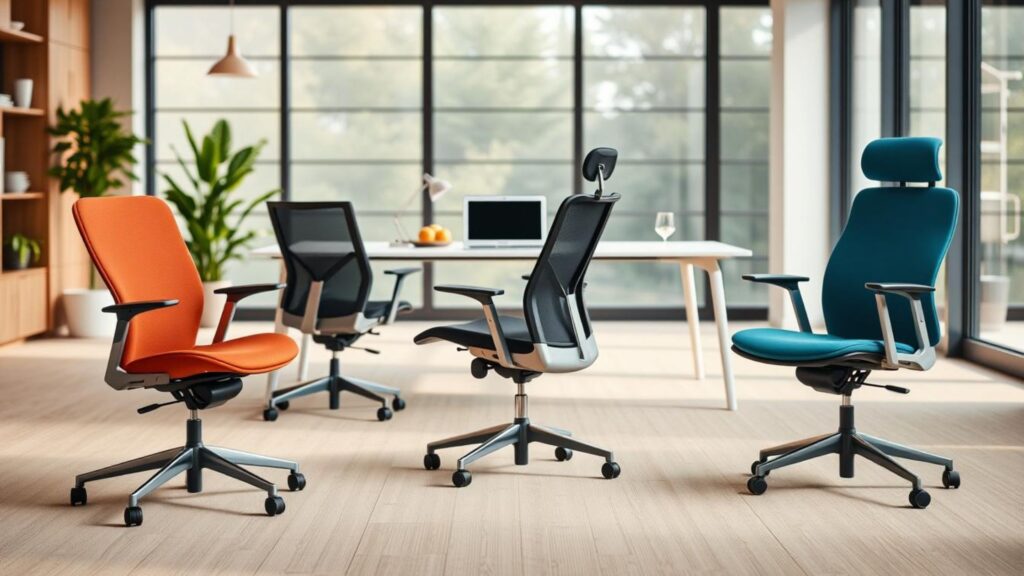
Surprising fact: the average person sits more than 9 hours a day — and the wrong seat can shave hours of focus from your workweek. We built this 2025 roundup to fix that. Here you’ll find a practical ranking of classic seats like Aeron and Embody, plus Mirra 2, Cosm, Sayl, Lino, Verus, and Vantum.
Choosing the right chair is not about the prettiest design. It’s about fit, feel, and how a chair works hour after hour. Our rankings use clear criteria: comfort over time, upright and recline support, adjustability that changes posture, and materials that stay cool in a warm home office.
If you want the quick path, the best Herman Miller chair for most people balances stable recline, breathable materials, and arms that actually fit your desk. Shopping alone? Madison Seating is our recommended partner for honest guidance, configuration help, and real value when you can’t try every model in person.
Quick wins: we’ll give you a match guide and a short fit checklist so you can make progress fast—no scrolling marathon required. And hey, quick story: I once swapped from a squishy no‑name chair mid‑week to an Aeron I borrowed from a friend. My wrists stopped complaining the same afternoon. Coincidence? Maybe. Felt real, though…
Key Takeaways
- We rank models for real-world desk work in 2025, not showroom flair.
- Priority is long-term comfort, pressure distribution, and productivity.
- Each model serves different bodies, budgets, and work styles.
- Madison Seating can help you configure and compare without guesswork.
- Use the match guide and fit checklist to find the right chair faster.
How We Ranked These Herman Miller Office Chairs for Real-World Ergonomics
Our scoring focuses on how each seat feels at hour six, when heat, pressure, and fatigue matter most. We tested for sustained comfort, not just first impressions, because long sessions reveal pressure points and warmth that short sits hide. If you’re jumping into a Herman Miller ergonomic chair for the first time, these are the factors that genuinely change your day.
Comfort over time for desk work and long sessions
We logged how pressure moved across the seat and back as you worked. A good office chair keeps you productive for hours without shifting constantly or trading pain for posture.
Lumbar support and full-back support in upright and reclined positions
Good back support means your lower back feels held when upright and remains supported when you tilt back. Lumbar support isn’t just “there” — height, depth, and behavior while you move are what matter.
Adjustability that matters
Our practical standard covers seat depth, arms that let you type without shrugging, and tilt plus tension that encourage motion instead of locking you in. Seat depth that fits your thighs is non‑negotiable.
Materials, breathability, and fit across bodies
We compared mesh, foam, and hybrids for thermal comfort and spring. Mesh often feels cooler; foam feels plusher. Fit matters, too — available sizes reduce the risk of a frame that’s too narrow or a pan that’s too long.
Bottom line: we weighted real-world support, adjustability, and materials so you can pick the right model for your body, desk, and daily rhythm.
Quick Match Guide: Pick the Right Chair for Your Body, Desk, and Daily Use
Find a chair that complements your height, keyboard habits, and break rhythm. This short guide helps you narrow down to two good options fast. Use it at your desk or when shopping for a home setup.
Best for deep recline and smooth tilt control
If you favor full recline and steady support, look for seats noted for deep, smooth recline and stable tension control. These keep lumbar support active when you lean back, not just when you sit upright.
Best for mesh-seat fans vs. padded-seat fans
Mesh seat options are cool and spring back; they work well if you move a lot. Padded seats feel plusher up front and hide frame edges. Try both styles before you commit — one may feel like night and day.
Best for taller users vs. more compact builds
Taller people need longer pans and higher backs to avoid pressure behind the knees. Smaller frames need shorter depth so legs don’t hang. Check size charts to match your proportions for the right fit.
Best for conference rooms and short daily use
For meeting rooms or light daily sessions, pick chairs that look clean and require little setup. Prioritize effortless comfort and a tidy profile over endless knobs.
| Use Case | Look For | Quick Picks |
| Deep recline | Smooth tilt, strong lumbar in recline | Aeron-style deep-recline option |
| Mesh vs padded | Cooling mesh vs plush padding | Mesh options; padded models for front pressure |
| Taller vs compact | Seat depth and back height | Longer pans for taller, shorter for compact |
| Conference/short use | Simple controls, clean look | Cosm-like easy sit-and-go models |
What Makes Herman Miller Ergonomic Chairs Different
The best office seats respond to tiny shifts in your body so pressure never piles up in one spot. This is the idea behind human-centered design—chairs that work with your shape and motion, not against them.
Human-centered ergonomics: posture, movement, and pressure distribution
- They share the load across the seat and back rather than concentrating it.
- Responsive tilt allows you to move, keeping lumbar support active as you recline.
- Good support reduces neck and shoulder tension, which helps typing feel easier.
Breathable textiles and thermal comfort for all-day seating
Thermal comfort is real productivity fuel. Breathable textiles and suspension fabrics cut the sticky feeling that breaks focus.
Tradeoffs exist: mesh gives airflow but a firmer feel; foam pads add plush comfort but trap heat. We recommend weighing materials, motion, and how the chair supports your back before you buy.
Key Ergonomic Features to Compare Before You Buy
Your daily comfort comes down to a short list of mechanical features — learn which ones actually move the needle. Focus on usable ranges, not marketing blurbs. Compare real adjustment limits so you get a chair that fits your body and your work.
Lumbar support: adjustable height, depth, and how it feels in motion
Look for lumbar support that stays active as you recline. Some systems feel solid upright but drop out when you lean back. Measure lumbar height and independent depth adjustability so lower-back contact remains consistent through movement.
Seat depth and front-edge comfort for leg support
Seat depth should give 1–2 inches between the pan edge and the back of your knee. Designs that lack an adjustable seat — that adjustability matters for taller and shorter users alike.
Arm adjustability: height, width, depth, and pivot ranges
Arms should move up/down, in/out, and forward/back. Height for relaxed shoulders. Depth for keyboard distance. A good pivot range helps the mouse work without strain. Compare the actual range numbers where possible.
Tilt, recline, and tension: locking positions and forward tilt options
Test how easily the chair moves with you, whether it locks mid-recline, and if forward tilt exists to aid active typing. Tension controls let you tune resistance — they should be smooth and predictable.
Back height options: high back vs. mid back vs. low back
Choose high back for head and shoulder support, mid back for shoulder-blade stability, or low back for a lighter, mobile feel. Match back height to your tasks and posture goals, not just the look.
Best Overall for Most People: Herman Miller Aeron
When one seat reliably supports long work sessions, it becomes the default choice for most setups.
Why Aeron’s recline stands out for full lumbar support
Deep, smooth recline keeps lumbar support active even when you lean back. That means a thinking break doesn’t trade away lower-back stability. The chair offers multiple lock positions, tension adjustment, and an optional forward tilt so you can tune motion for different tasks.
Mesh seat “make-or-break” factor and how to know if it’s for you
The mesh seat delivers cooling and buoyant support—great if you prefer airflow and a springy feel. Be candid: if a firmer perimeter or visible frame edges bother you, the mesh may never feel right. Try it before you commit.
Three size options and why frame fit matters
Offered in three sizes, the Aeron lets you match frame and pan length to your body. Use the official size chart for Herman Miller Aeron sizes so edge pressure doesn’t creep in. Most folks end up in Herman Miller Aeron size B; bigger frames often prefer Herman Miller Aeron size C — try to confirm with measurements at your desk.
Arm comfort and adjustability highlights
Soft arm pads and wide adjustability help you keep wrists neutral and shoulders relaxed. The seat and arm package make this office chair a safe, long‑session pick for many people.
Value note: pricing varies by configuration, but when the fit and features align with your body, Aeron’s build and support usually justify the cost.
Best for Dynamic Support and Signature Design: Herman Miller Embody
The Embody is built to follow micro-movements, giving a sense of constant, subtle support rather than a static hold.
Pixelated support in the seat and back uses many small zones that flex independently. Picture dozens of tiny springs that shift as you move—this is what keeps pressure spread out and the surface responsive.
The seat feels firm at first touch, thanks to a thin foam and fabric layer. Over long hours, that firmness becomes steady, supportive comfort instead of a sagging cushion.
Arms and adjustability
There’s one arm package: height and width adjust, and the oversized caps add comfort. That said, the arm range is less flexible than some rivals, so check reach and desk fit before you order.
Who should think twice
If your shoulders need a very open, rearward back shape, the Embody’s contour can feel like it nudges them forward. For some people, that boost aids posture; for others, it causes tension.
“Embody rewards movement—if you shift a lot, it stays helpful; if you prefer a soft, steady sink, try before you buy.”
Bottom line: this chair is ideal for focused desk work and creators who want tech-forward design and lively movement. It’s premium and polarizing—great for some people, not right for all.
Best Aeron Alternative with Tons of Adjustments: Herman Miller Mirra 2
The Mirra 2 blends confident motion with fine-grain adjustments that matter day after day.
Harmonic tilt and smooth recline
Harmonic Tilt gives a smooth, predictable recline so you actually use movement during long sessions. The motion feels steady—not jerky—and the tension control lets you tune resistance for focused work or relaxed leaning.
Seat depth and front-edge flexibility
The flexible front edge offers practical seat depth options. It eases pressure behind the knees and helps when people share a chair or sit between sizes.
Dialing in lumbar
Height-adjustable lumbar and independent depth tuning let you target lower-back contact precisely. That makes lumbar support feel personal, not generic.
Arms and desk fit
Soft, sloping arm pads move in four ways (height, width, depth, pivot), so you can sit closer to your desk and keep wrists neutral while typing.
Potential dealbreakers
If a mesh seat feel or a firm poly back bothers you, consider a padded alternative first. Price range runs roughly $1,150–$1,700—good value for this level of adjustability.
| Feature | Why it matters | Quick take |
| Harmonic Tilt | Smooth recline and usable motion | Encourages micro-movement |
| Seat depth (front edge) | Reduces knee pressure, fits more bodies | Flexible and forgiving |
| Lumbar (height & depth) | Personalized lower-back contact | Highly tunable |
| Arms (4-way) | Desk proximity and typing comfort | Desk-friendly |
If you’re searching specifically for a Herman Miller Mirra chair, the Mirra 2 is the most dial‑in option, and if you want the newest naming, Herman Miller Mirra 2 is the variant to compare against Aeron.
Best for Effortless Reclining and a “Hammock” Feel: Herman Miller Cosm
The Cosm stands out when you want a seat that simply cradles you without fuss. Its continuous mesh flows from the upper back into the seat, producing a true hammock sensation that feels instantly relaxing.
Continuous mesh that cradles
The one-piece mesh wraps your back and seat as a single surface. You get broad, even contact instead of pressure points—great for long conference sessions or a stylish home office.
Auto-Harmonic tilt: easy mode, limited control
Auto-Harmonic adapts to your weight, so reclining is effortless. If you want a set‑and‑forget recline, this is excellent. If you want precise tilt control and fine-tuning, it can feel restrictive.
Back height and fit
Choose low, mid, or high back based on how much upper‑back support you need. High back helps head and shoulders; low keeps things open and mobile.
Seat depth and arm choices
The Cosm has no seat depth adjustment, so taller users (over about 6′) may feel short on thigh support. Leaf arms look clean, but we recommend adjustable arms for daily desk work—reach and height range matter more than style here.
Best Under $1,000 for Style-Forward Home Offices: Herman Miller Sayl
If you want premium looks without flagship pricing, Sayl hits the sweet spot for a style-forward home office. It pairs signature design with enough function to handle typical workdays.
Suspension-bridge back: flexible, responsive support
The suspension bridge back flexes with your spine, spreading pressure across a broad surface. It feels supportive without a hard shell pressing into your back.
Fit guidance and back height
Back height works best for people around 5’10” and under. Taller users may want a higher back if they need more upper-back or shoulder support.
Seat feel, depth option, and arm limits
The seat is firmer than a plush lounge—good for focused typing and posture. An optional seat depth slider helps if you fall between sizes or need extra thigh support. Warning: the armrests are a compromise. Pads can shift, and the buttons feel soft, so don’t expect flagship-grade arm hardware.
Who this chair is for
The Sayl is ideal for style-forward home setups and moderate daily use when you want real ergonomic DNA without flagship cost. It looks great on camera and works well at the desk.
Best for Simple Mesh-Back Comfort on a Midrange Budget: Herman Miller Lino
For many buyers, the Lino hits the sweet spot between breathable support and everyday value.
The Lino is a straightforward office chair with a standard mesh back that breathes without the high‑end trampoline feel. The mesh flexes enough to conform to your spine while keeping pressure spread across the surface.
Seat reality check: the cushion looks plush but feels intentionally firmer. That firmness gives steady support for long tasks, though it won’t match a soft lounge cushion if you favor sink-in comfort.
Optional lumbar add-on: a small, height-adjustable lumbar is worth adding if your lower back is sensitive. It’s a low-cost upgrade that meaningfully improves daily support.
Arms are a quiet win here — larger, rounded pads that feel better than many lower-end models. They help keep wrists and shoulders relaxed during typing.
Value note: part of the price buys you access to a trusted brand’s materials and policies, not just instant wow-factor comfort. Choose Lino when you want reliable mesh cooling and simple ergonomics without stepping into flagship pricing. If you like a patterned support feel, the Herman Miller Celle chair is another solid buy to compare.
Best Value Around the Entry Premium Tier: Herman Miller Verus
If you want real office performance on a practical budget, Verus is worth a close look. Priced around $670–$870 (often near $800), it gives you a true work-ready chair from a recognized maker without flagship cost.
Seat shape and comfort for longer workdays. The Verus uses a flatter, squarer seat pan that reads roomier when you sit. That shape lets you change posture and move without feeling boxed in.
Because the seat feels broad and even, it avoids the exaggerated sink of plush cushions. Over long hours, this steady feel often delivers better comfort and less fatigue.
Standard lumbar limits and who needs more. There is a height-adjustable lumbar pad that adds lower-back support. It helps most users, but it can feel weak at extremes. If you need strong, sculpted lumbar support or adjustable seat depth, plan to look higher in the line. Verus is great for average backs, not for pronounced lumbar needs.
Arm adjustability and usable ranges. The arms move in three ways: height, width, and depth. The ranges are generous, so you can keep your elbows supported without crowding your torso. That practical arm range makes the Verus a good match for varied desks and typing styles.
Best for Gaming Branding but Not for Everyone: Herman Miller Vantum
The Vantum leans into gaming style, but that look doesn’t guarantee fit or long‑day comfort. It offers more adjustability than typical gaming seats, yet it performs differently from the brand’s flagship office chair models.
Who it fits best based on backrest height and seat length. The Vantum has a notably short backrest and a compact seat. Taller users (over about 5’8″) may feel pressure behind the knees or a hard upper frame contact. If you are smaller-framed, the size and height often work well; otherwise, try it in person.
Headrest and armrests: comfort, constraints, and adjustability. The fixed headrest can be great when it lines up, but you can’t move it out of the way. That limits comfort for some tasks. The arm pads are comfortable and offer 3‑way movement, though their ranges feel narrow compared with higher-end models.
Build quality expectations compared to other models. The overall build feels lighter and less solid than Aeron or Embody. For people chasing a gaming look with decent adjustability, Vantum is a niche pick.
Price and Value in 2025: What You Get at Each Budget Level
Price brackets tell a clear story: what you pay shapes comfort, adjustability, and long-term reliability.
- Premium icons and flagship pricing. Top-tier models run the highest for a reason. The Aeron often lists roughly $1,400–$2,465, while Embody sits around $1,880–$2,355. What you get: refined recline mechanics, premium materials, and parts built to perform after years of daily use. If you sit all day, this can save time and health costs later.
- Upper‑mid options. Mirra 2 ($1,150–$1,700) and Cosm (Low $1,110–$1,585; Mid $1,425–$1,900; High $1,690–$2,165) are smart premium picks. They deliver strong support with a few tradeoffs—personality and back‑height options change price, so check the numbers before you buy.
- More accessible picks. Sayl ($775–$1,405), Lino ($670–$1,080), Verus ($670–$870), and Vantum (~$930) trim cost by limiting fine adjustability or luxury finishes. Value tip: for a home or small office, splurge on fit, lumbar, and arms; save on color or trim you can swap later.
Fit Checklist: Dial In Seat Height, Seat Depth, Arms, and Lumbar Support
Start with small, measurable tweaks so your seat matches your desk and tasks. Follow this short setup flow and re-check after a few days — your body will tell you what needs changing.
Seat height setup for feet-flat posture at your desk
Adjust the seat so your feet sit flat and your knees are near a right angle. This protects circulation and supports a steady posture.
Seat depth target for thigh support without pressure behind the knees
Set seat depth so most of your thigh is supported while leaving a finger‑width gap behind the knee. Too little depth causes edge pressure; too much lets the back lose support.
Arm position for typing comfort and shoulder relaxation
Move the arms so the elbows rest at your sides with your shoulders relaxed. Arms should keep wrists neutral and let you reach the keyboard without leaning forward.
Recline and tilt tension tuning for movement throughout the day
Tune tilt and tension so the chair moves with you. Micro‑reclines reduce static load and encourage small, frequent movement that eases fatigue.
Quick checklist: height → depth → arm position → lumbar → tilt/tension. Place lumbar support at the curve of your lower back — not too high, not too low. Re-check settings after a week and tweak for real-world comfort.
Aeron vs. Embody vs. Mirra 2 vs. Cosm: Which One Matches Your Work Style?
Your work rhythm — constant typing, quick breaks, or long reclines — should drive which model you choose. Below, we compare these four across how they hold you upright, how they behave when you lean back, and how much tuning you’ll actually use.
All-day tasking vs. frequent recline breaks
For long, focused work blocks, stable upright support and comfortable arms matter more than a dramatic recline. The Aeron keeps lumbar support active through recline, which helps if you stay productive while shifting posture.
Maximum adjustability vs. “set it and forget it” ergonomics
The Mirra 2 offers many fine adjustments: forward tilt, lumbar depth, and broad ranges for arms. If you like to tweak, Mirra 2 is a fit. The Cosm leans the other way. It cradles you effortlessly and uses automatic tensioning, so you get instant comfort but limited manual control.
Mesh-first cooling vs. hybrid support and feel
Mesh-first seats give cooling and a springy feel; aerated surfaces help you stay comfortable over time. Hybrid or padded seats add a softer sensation that some people prefer for longer, relaxed sessions.
| Work Style | Best Match | Why |
| All‑day focused typing | Aeron | Maintains lumbar in recline; strong tilt and arm support |
| Active micro-movement | Embody | Pixelated support spreads pressure; rewards frequent shifts |
| Tinkerers who want control | Mirra 2 | Forward tilt, lumbar depth, and wide arm ranges |
| Set-and-forget comfort | Cosm | Continuous mesh and auto tilt for effortless reclining |
Decision in one sentence: choose Aeron for steady, tunable support; Embody for lively pressure distribution; Mirra 2 for maximum adjustability; Cosm for easy, hammock-like comfort.
Buying Through Madison Seating: What to Look for When Ordering Online
Buying a premium office chair online is easier when you know which adjustments actually change how it feels. Madison Seating offers configuration-focused guidance, plus open‑box and refurbished options, so use that resource to prioritize fit over finishes and color. Browsing their Herman Miller furniture catalog helps you compare features side by side without guesswork.
Choosing the right configuration: arms, lumbar options, and back height
Start with the three features that change fit the most. Pick an arm package that supports typing and mouse work. Height and depth range matter more than pad style. Choose lumbar support based on your main pain point. Some options give adjustable height and depth; others are fixed. If you need strong lower-back contact, select an active lumbar option. Back height is critical for taller users. High back or extended options support the shoulders and head. For compact frames, a mid or low back often works better.
How to reduce fit risk when you can’t try the chair in person
Measure your current seat height and desk clearance before ordering. Note whether you need seat depth adjustment and where you feel pressure now — lower back, shoulders, or behind the knees. Shortlist two models. Choose the more adjustable configuration and plan to fine-tune settings with the fit checklist after delivery. If you still hesitate, ask Madison Seating for comparison photos and sizing advice.
What “best chair” really means for your body, time, and budget
The best chair is not the flashiest deal — it’s the one that fits your body, supports your daily tasks, and stays comfortable over time within your budget. Prioritize fit and features such as seat depth, lumbar support, and usable arm ranges. A cheaper seat that forces poor posture will cost you time and comfort later. If you tell us your height, desk setup, and daily hours, we can point you toward the most likely match rather than guess. Madison Seating is here to help you get the configuration right the first time.
Conclusion
Comfort that lasts comes from matching your body to a chair’s real ranges, not its photos. Aeron often wins for broad, all‑day support. Embody feels lively and different. Mirra 2 gives the most tuning. Cosm offers effortless, auto‑cradle comfort for simpler setups.
Focus on a few fit drivers: seat depth, lumbar support, arm comfort, and how the seat behaves when you recline. Be honest about preferences—mesh cooling vs. a cushioned feel, deep adjustability vs. set‑and‑forget simplicity. If you want help matching proportions and configuration, rely on Madison Seating for strong, honest guidance. Pick the model that fits your body first, then tune the configuration to your work habits. You don’t need a perfect chair for everyone—you need the right chair for you.
FAQ
What should I consider first when choosing a Herman Miller office chair?
Start with how you sit and work. Look at seat height and seat depth to ensure your feet sit flat and your thighs are supported without pressure behind the knees. Next, consider lumbar support quality, adjustability of the arms, and the chair’s tilt and recline range—these features affect comfort during long sessions. Finally, match the seat material (mesh vs. padded) and back height to your thermal comfort and posture needs.
How do I know whether to pick a mesh seat or a padded seat?
Mesh seats breathe better and keep you cooler during long workdays; they also provide even pressure distribution. Padded seats feel softer at first and suit people who prefer cushioned support. If you run warm or move a lot, lean toward mesh. If you want a plush initial feel, choose a padded or hybrid design.
Do these chairs fit different body sizes? What about tall users?
Many models come in multiple sizes or have adjustable seat depth and neck/back height options to accommodate a range of bodies. Chairs with three-size frames (like Aeron) or with seat-depth sliders work best for taller users. Always check the manufacturer’s size guidelines and the chair’s seat depth range before buying.
How important is lumbar support, and how adjustable should it be?
Lumbar support is crucial—proper lumbar positioning reduces lower-back strain and helps maintain neutral posture. Look for height and depth adjustments or dynamic lumbar systems that change with recline. If you sit upright and recline frequently, a lumbar design that supports you across positions matters most.
What does “tilt, recline, and tension” mean, and why does it matter?
Tilt and recline describe how the chair moves when you lean back; tension controls how hard you must push to recline. Smooth, tunable recline with appropriate tension lets you change posture throughout the day and keeps spinal pressure balanced. Models with locking positions and forward-tilt options aid focused tasks.
Can I use these chairs for gaming as well as office work?
Yes—several models suit gaming. Look for longer seat lengths, higher backrests, and reliable arm adjustability. Gaming-focused designs may include headrests and sportier styling, but prioritize ergonomics: proper seat depth, lumbar support, and cushion or mesh comfort over branding alone.
Are mesh backs better for breathing and long hours at a desk?
Mesh backs offer superior airflow and help manage heat during extended sitting. They also mold to your back for distributed pressure. If you’re in a warm room or sit for long spells, a breathable textile can boost comfort and reduce sweat buildup.
How do arm adjustments affect how close I can sit to my desk?
Adjustable arms—height, width, depth, and pivot—let you position your elbows close to the desk and keep your shoulders relaxed. Arms that move inward or pivot help you sit nearer without shoulder strain, improving keyboard and mouse reach and reducing forward-leaning posture.
What’s the difference between high-back and mid-back options?
High-back chairs give extra upper-back and neck support, good for taller users or those who use headrests. Mid-back options allow more shoulder mobility and often suit active desk work. Choose based on how much upper-back and head support you need during long sessions.
How do I tune seat height and seat depth for the best fit?
Set seat height so your feet rest flat and knees form about a 90-degree angle. Adjust seat depth so there’s a two- to three-finger gap between the front edge and the back of your knees—this supports thighs without cutting circulation. Many chairs offer sliders or multiple-size frames to achieve this.
What maintenance keeps these chairs performing long-term?
Regularly wipe textile or mesh surfaces with a mild cleaner, avoid harsh chemicals, and vacuum fabric to remove dust. Check and tighten casters and screws annually. For moving parts, a light lubricant on pivot points keeps mechanisms smooth. Follow the manufacturer’s care guidelines for materials and finishes.
Can I try a chair before buying if I’m ordering online?
Many dealers offer trial periods or return policies; when shopping online, choose retailers with generous trial windows. If a trial isn’t available, study size guides, read reviews on comfort and fit, and verify adjustable features. Some stores provide virtual fit help—use that to reduce fit risk.
Which features are worth paying extra for?
Spend on adjustability that supports your body: seat depth sliders, multi-axis armrests, dynamic lumbar systems, and high-quality tilt mechanisms. Breathable textiles and durable frames also add long-term value. These choices improve comfort across different tasks and body positions.
Are there budget-friendly options that still offer good ergonomics?
Yes—some midrange models focus on core ergonomic features like adjustable lumbar, reliable tilt, and breathable backs while keeping price in check. They may lack premium materials or extra size choices, but they can still deliver strong daily comfort for home offices or lighter use.
How do I choose between signature models like Aeron, Embody, Mirra 2, and Cosm?
Match the chair to your priorities: Aeron is known for mesh fit and multiple sizes; Embody emphasizes pixelated support and long-hour performance; Mirra 2 offers smooth harmonic tilt and fine adjustability; Cosm gives a hammock-like, auto-adjusting recline. Test them if possible and pick the one that aligns with your movement and comfort needs.